INNER CITY VISIONS
Client Management System
TEAM
2 PMs, 4 designers, 5 engineers
ROLE
Product Design Lead
Timeline
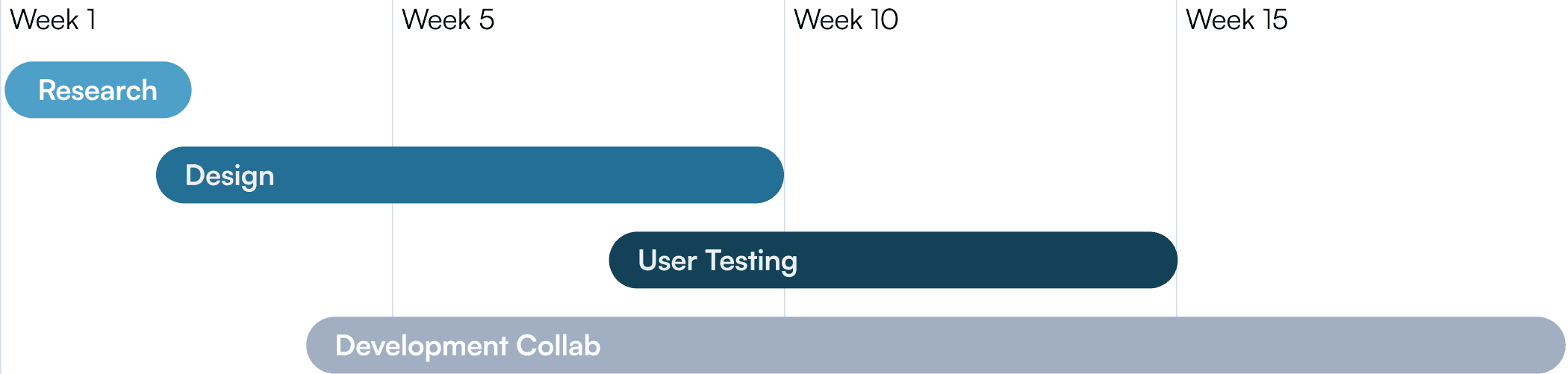
20 weeks
impact
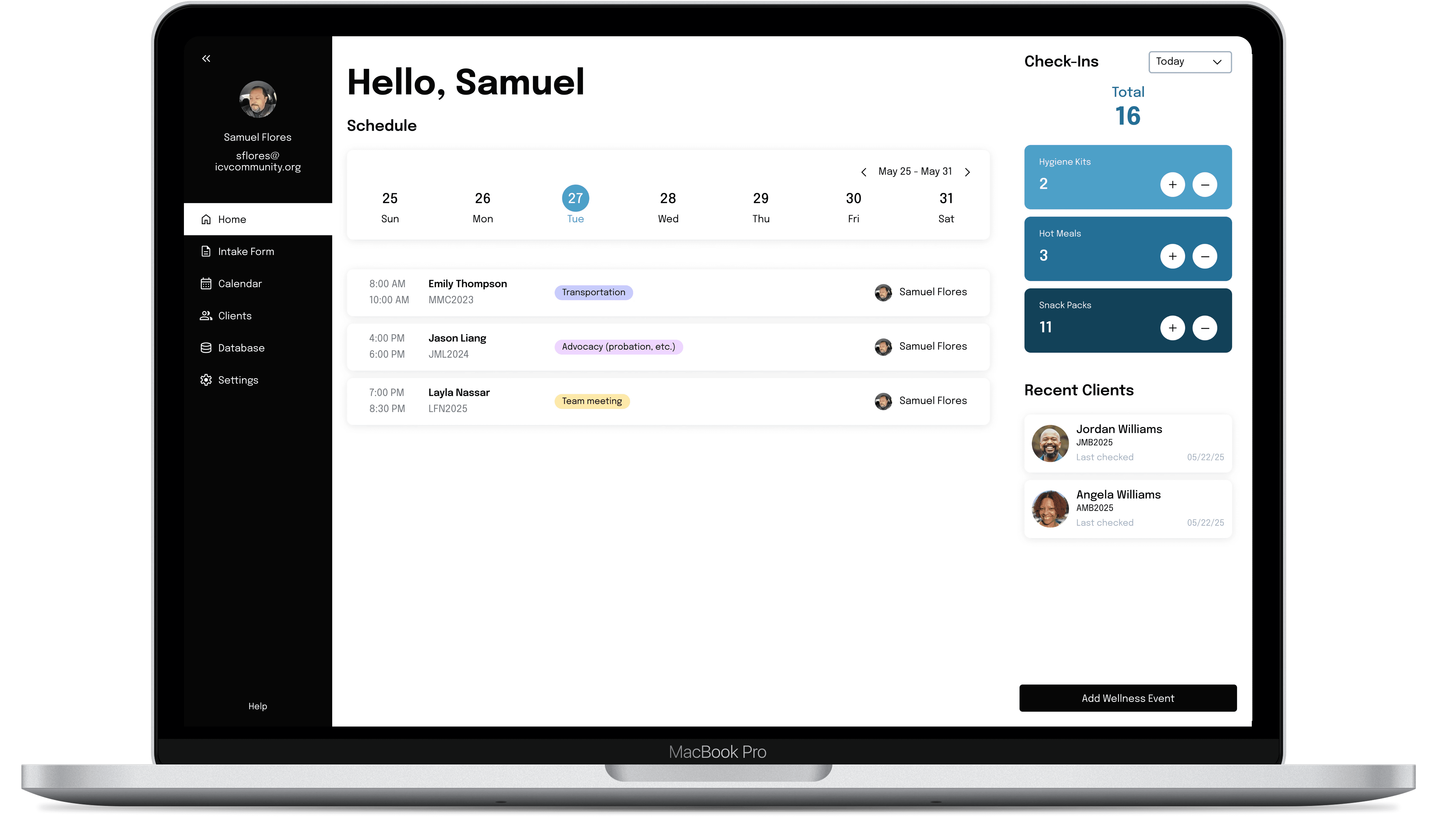
Reduced client intake time from 40 → 20 minutes
Unified personal history, housing records, case notes, and identification documents
Enabled consistent client engagement, supporting sustainable personal growth
Context
How it all began
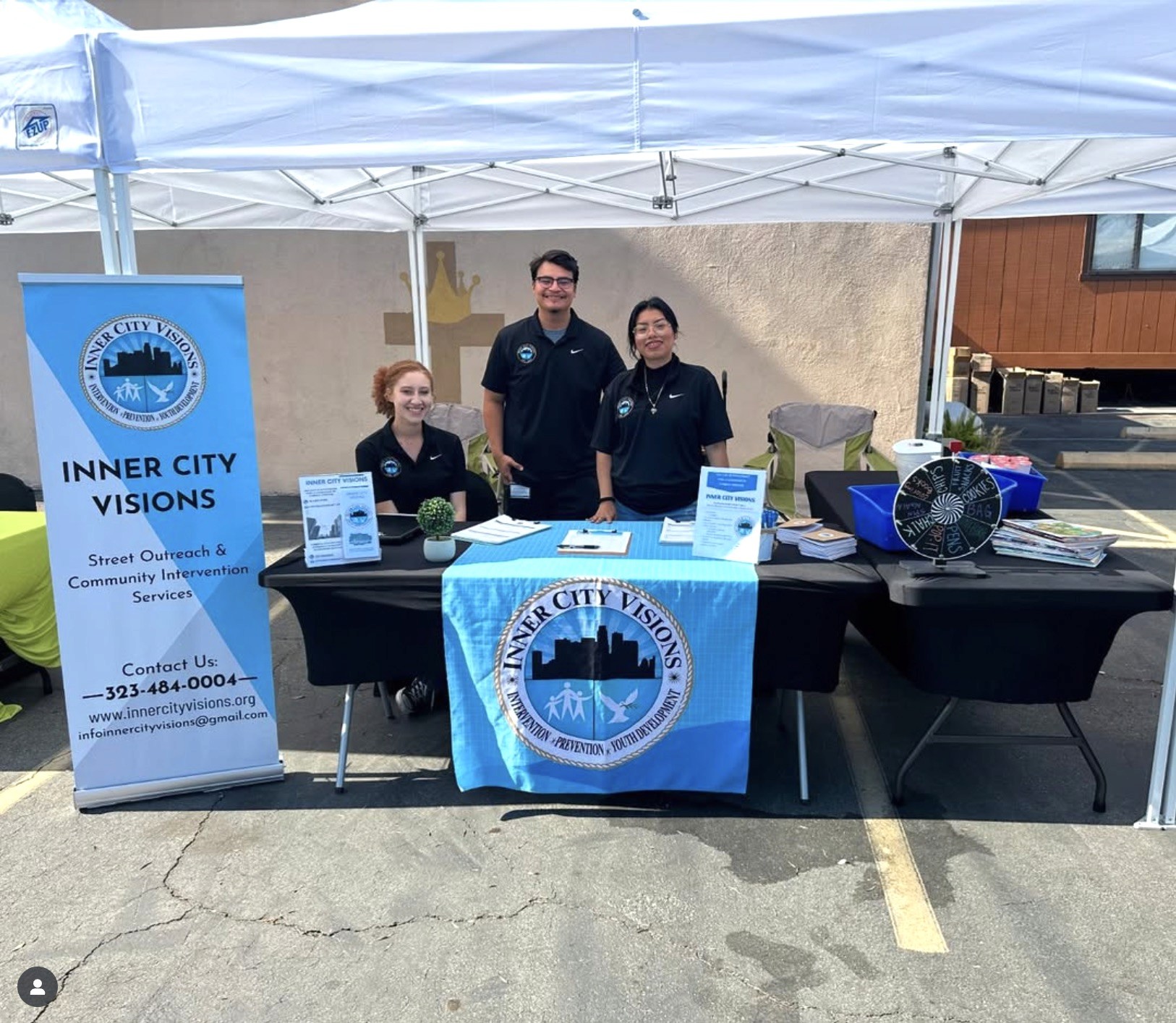
Our client, Inner City Visions (ICV), is an LA-based nonprofit that provides services and referrals to people struggling with housing insecurity.
My team and I, students at UCLA, resonated with ICV's mission and reached out to see if we can support them with our technical capabilities.
What's the problem?
According to ICV, their manual intake process and fragmented client data slowed down caseworkers and limited their ability to consistently support unhoused clients. With our problem statement outlined, we knew what our goal was to…
Objective
Improve how client information was collected, stored, and accessed to increase operational efficiency and enable caseworkers to give long-term client support
TImeline
January - June 2025
As the Product Design Lead, I projected a design road map to ensure that we were achieving our milestones and able to hand off the project within 20 weeks.
Discover
Understand the problem space our solution would be situated in and to fully document user journeys.
1st goal: Build a comprehensive understanding of workflows and use cases
2nd goal: Identify user needs, pain points, and breakdowns
Research Methods
How can we best learn ICV's operations and weaknesses?
To collect data and actionable insights, I led my team in a 2-week research sprint guided by these 3 key questions:
What are their processes?
What do they struggle with?
How can we help without interfering with their existing workflows?
To answer these questions, we assessed the current landscape, analyzed the competition, conducted user interviews, and sorted our insights using affinity diagramming.
Current Landscape
ICV's current solution
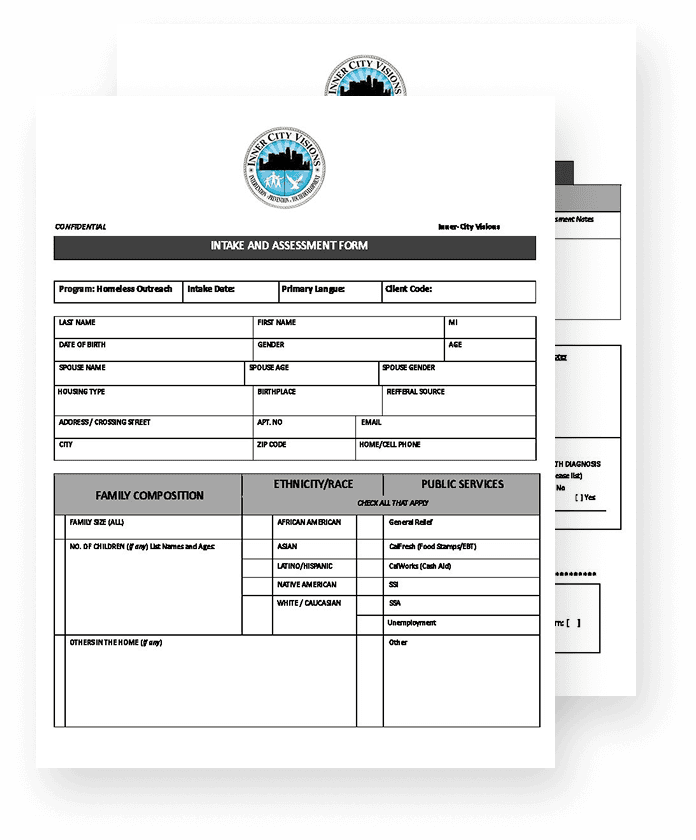
Their client information lives across multiple systems:


Competitive Analysis
Other products in the market




User interviews
Surfacing personal emotions and frustrations
I drafted an interview script including a mixture of think-alouds and quantitative questions to interview 4 staff members.
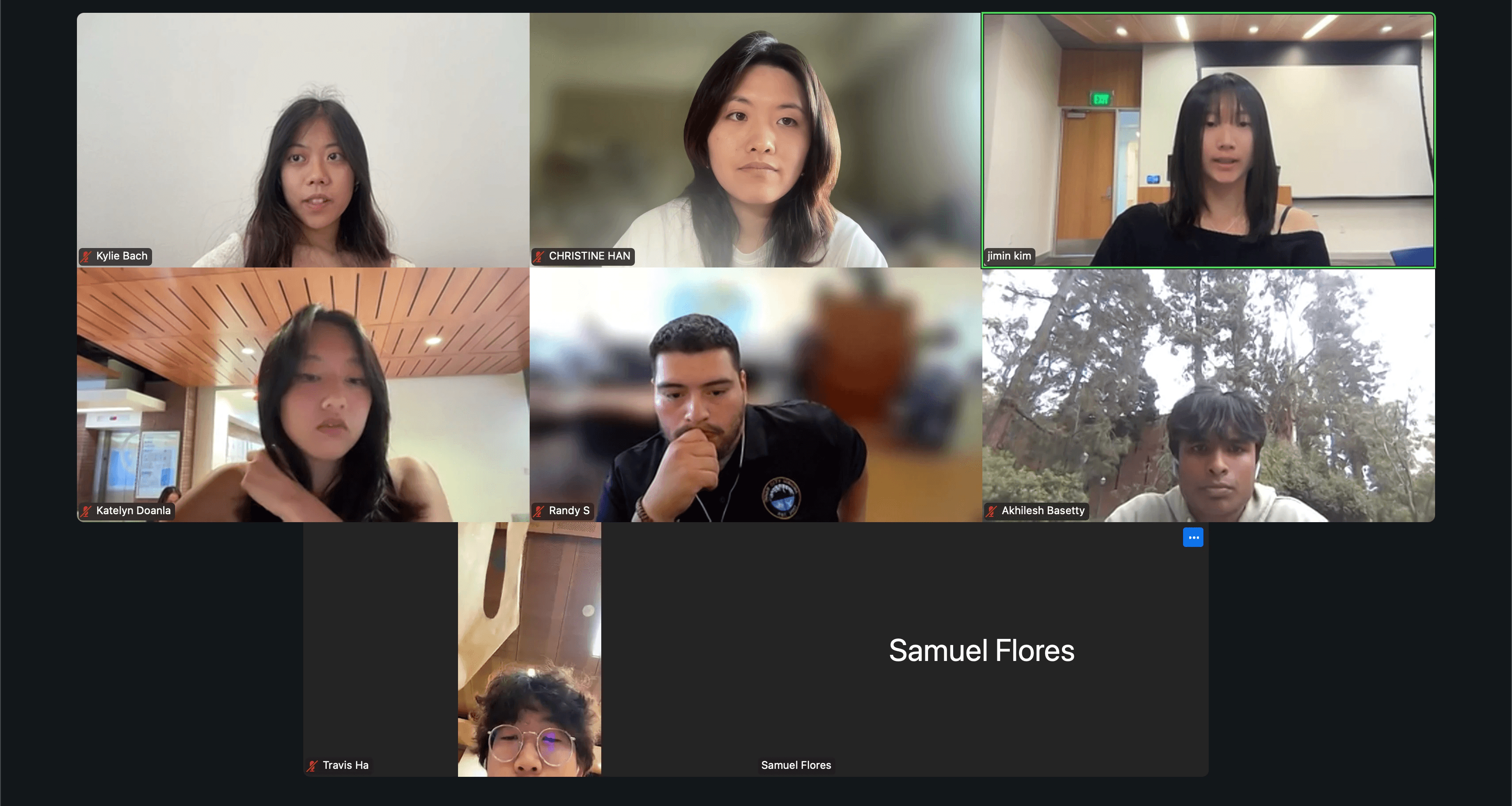
First of many stakeholder meetings!
Affinity Diagramming
Sorting and organizing interview insights
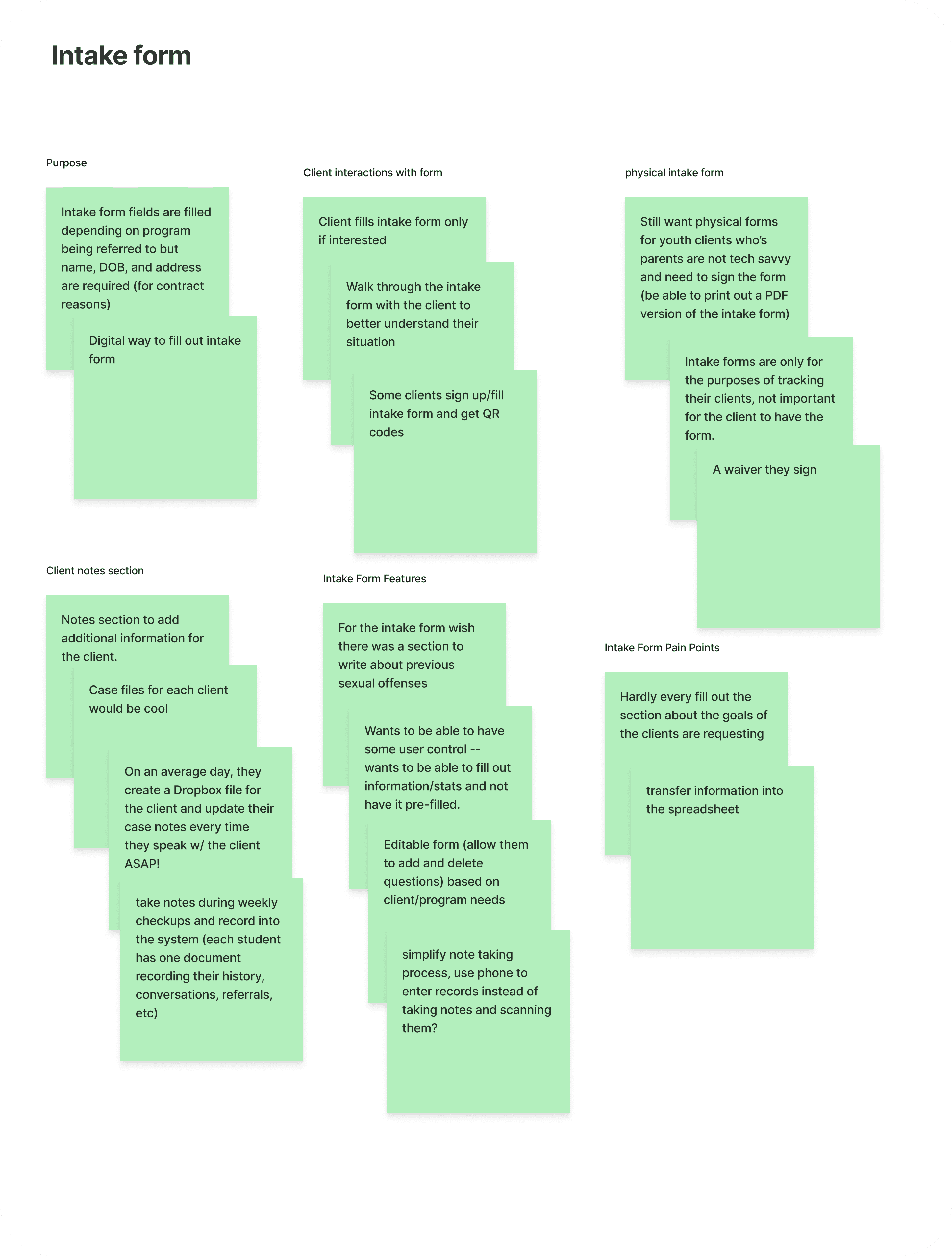
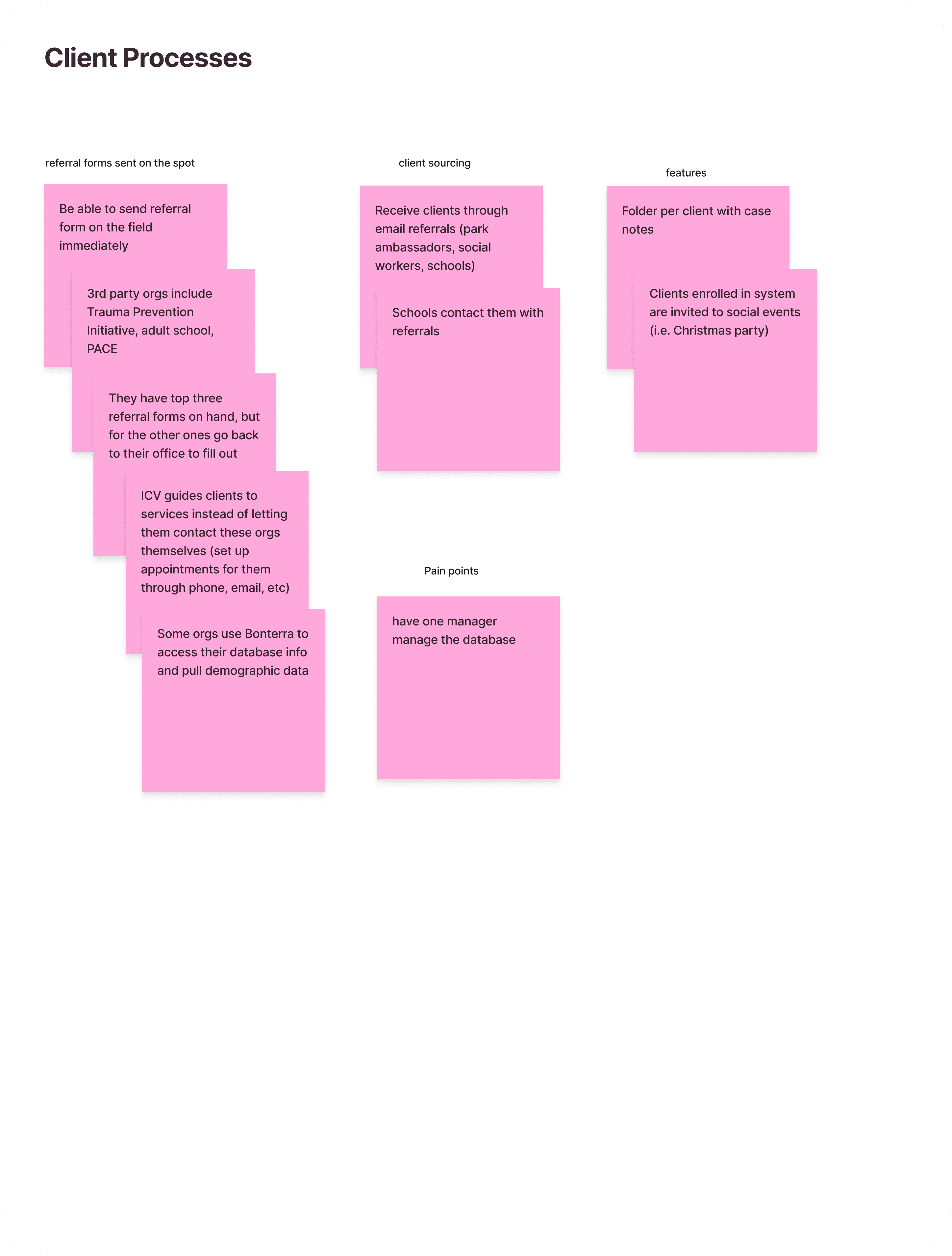
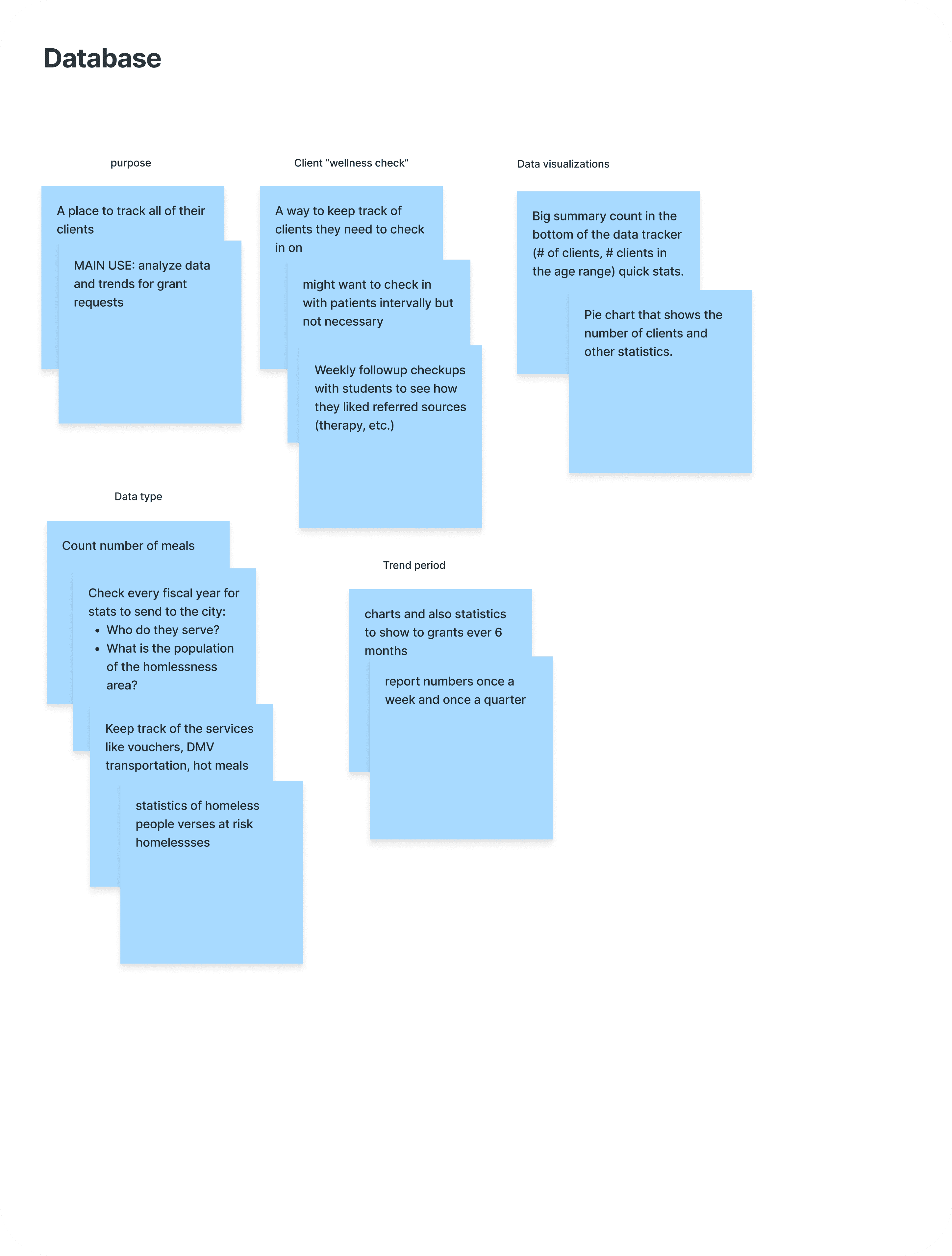
Through this exercise, we identified 3 core phases in ICV's client management process.
Key insights:
Their touch points included a paper intake form, dropbox files for each client’s case notes, and an Excel database.
We needed to design responsive screens since ICV planned to conduct their on-site work on tablets
They measured their impact through number of check-ins and new clients in their quarter reports
User Journey
How to service an ICV client
After sorting our insights, we mapped client intake, check-in, and data analysis workflows, pinpointing key frustration zones and opportunities for improvement.

Takeaways

Pain points
Repeatedly filling out redundant intake forms
Forgetting to schedule client check-ins
Manually calculating client data

Wants
Fill out tablet-friendly forms during client interviews
Filter data intuitively by month, quarter, and year
Ideate
Explore solutions while evaluating their impact, constraints, and feasibility
1st goal: Brainstorm features that directly address pain points
2nd goal: Weigh risks and workload alongside impact
3rd goal: Maintain a focused scope to avoid feature creep
pain point: redundant forms
How might we expedite the intake process with digital intake forms?
SolutionS
Risks / Tradeoffs
Automatically create and populate a client profile upon form submission
Uneven internet coverage
Trigger referrals to selected services when a client profile is created
Inconsistent referral processes across programs
pain point: Forgetting CHeck-ins
How might we track check-ins and flag inactivity?
SolutionS
Risks / Tradeoffs
Display clients requiring follow-up directly on the dashboard
Increased workload for devs
Display most recent check-in beneath each client profile card
Lower visibility
Schedule check-ins via a built-in calendar that automatically updates client activity
Higher complexity due to multiple calendars, risk of feature creep
pain point: Manual Analysis
How might we organize diverse data in a simple yet scalable manner?
SolutionS
Risks / Tradeoffs
Store and manage client data in a structured, queryable table that supports filtering
Unconventional filters, varied data types, and reliance on cloud storage
View trends and insights through embedded charts and visualizations
Balancing usability with flexibility and customization
Define
Present research, product, and the rationale behind decisions to stakeholders
1st goal: Support product features with user needs and pain points
2nd goal: Gather feedback from ICV
Solution
A unified, cloud-based client management platform that streamlines intake, centralizes client data, and simplifies data.
features
Key features included in the MVP
Dashboard
Display daily schedule, recent clients, and key metrics
Intake form
Collect client background, family, and medical history, with file upload
Client profiles
Automatically store client info, files, and case notes
Database
Display client information in a queryable, filterable table
Potential features
We also proposed several potential features for stakeholders to consider:
A calendar to schedule client check-ins and view other staffs' calendars
Data visualization that can generate and export charts for clearer data analysis
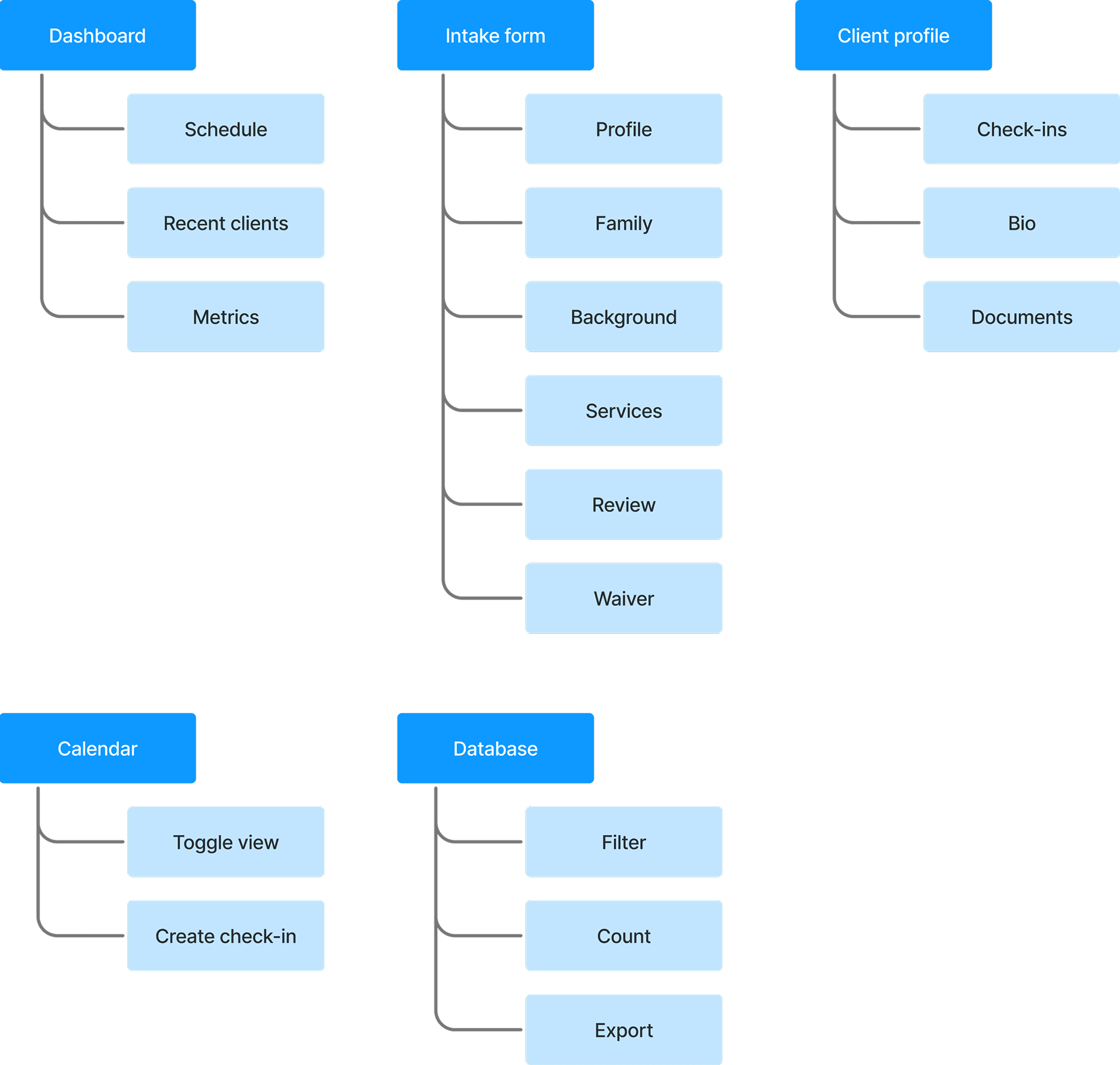
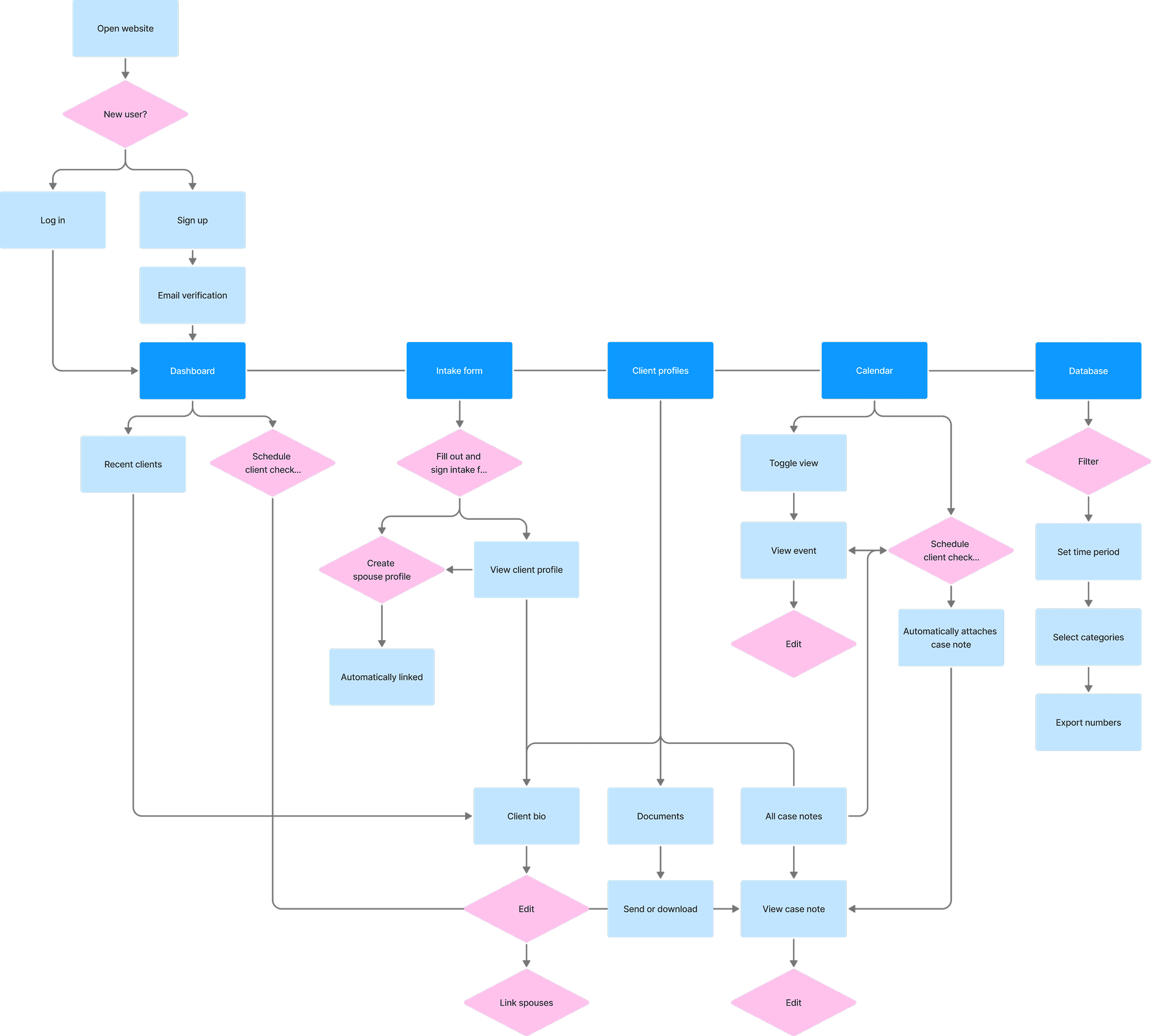
process maps
Visualizing the journey
Information architecture
User flow
Design
Translate concepts into wireframes through iterative design
1st goal: Plan design-development collaboration and delegate designs to team
2nd goal: Iterate on designs in close communication with stakeholders
3rd goal: Ensure designs are intuitive and accessible across platforms
Wireframes
Low-fidelity screens
Click the diagrams for a bigger preview.
Intake form

Client profile

Database

Calendar

Design Challenge: INtake form
New implementations in the intake form
Through close collaboration with stakeholders and engineers, we transformed a paper process into a digital experience, unlocking new capabilities along the way.
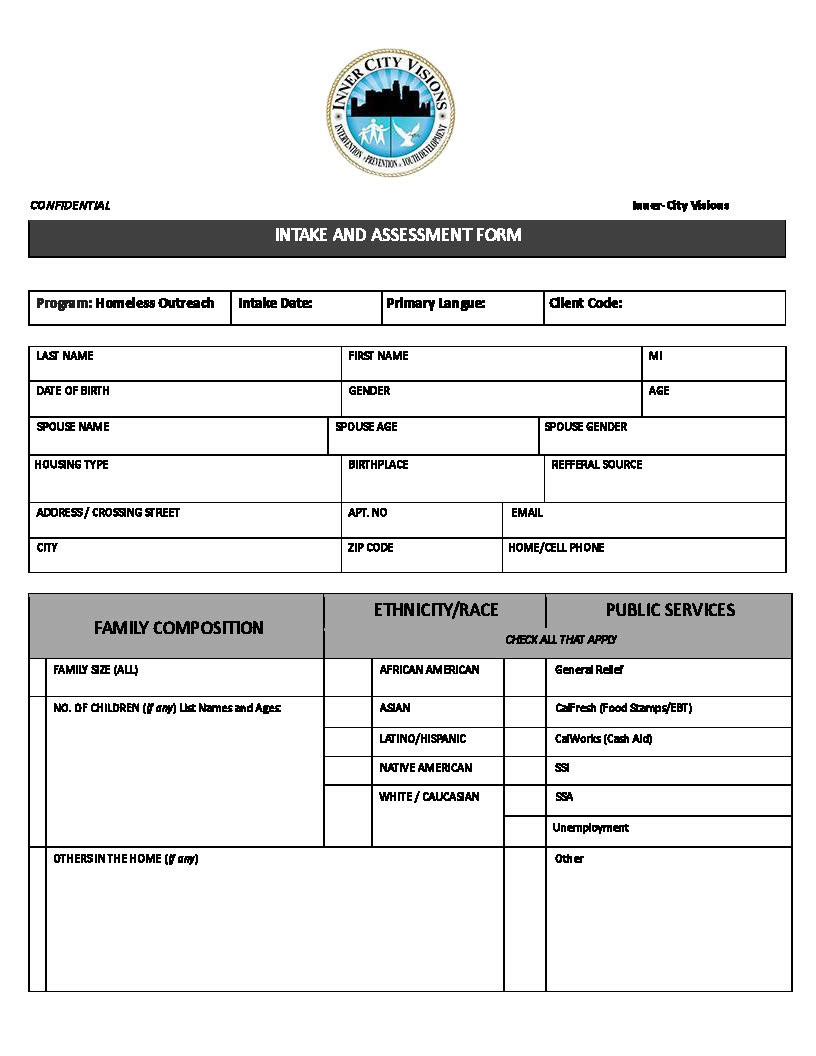
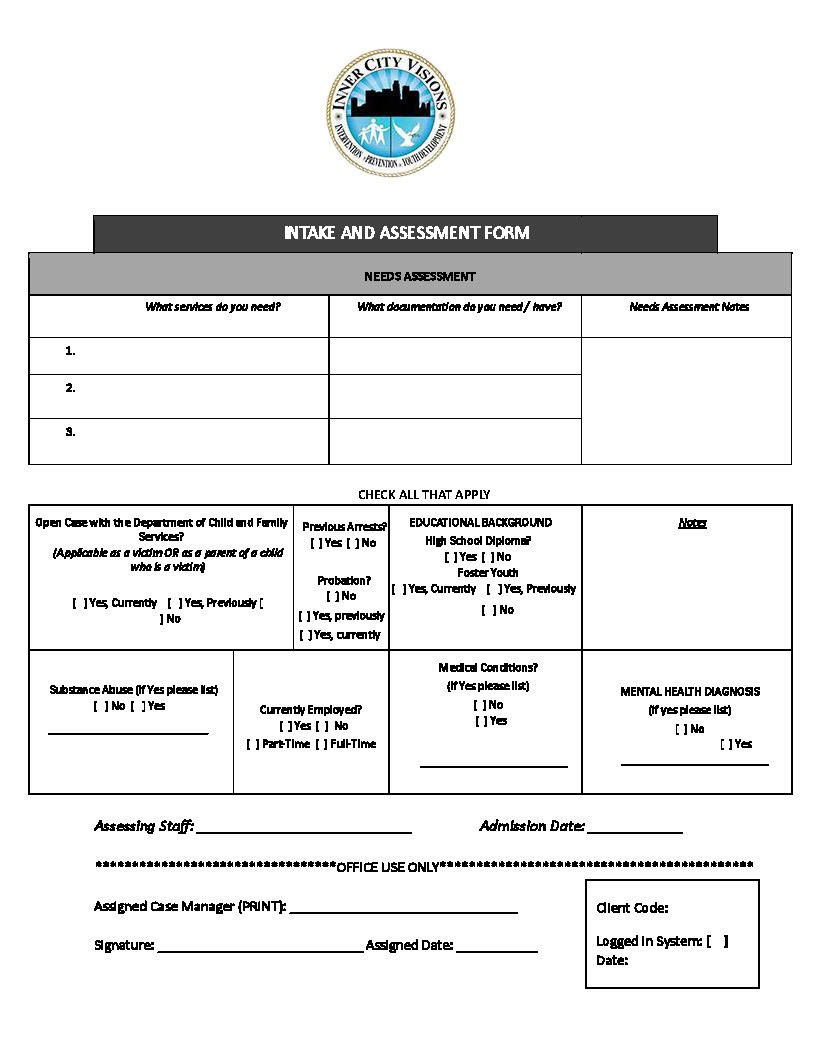
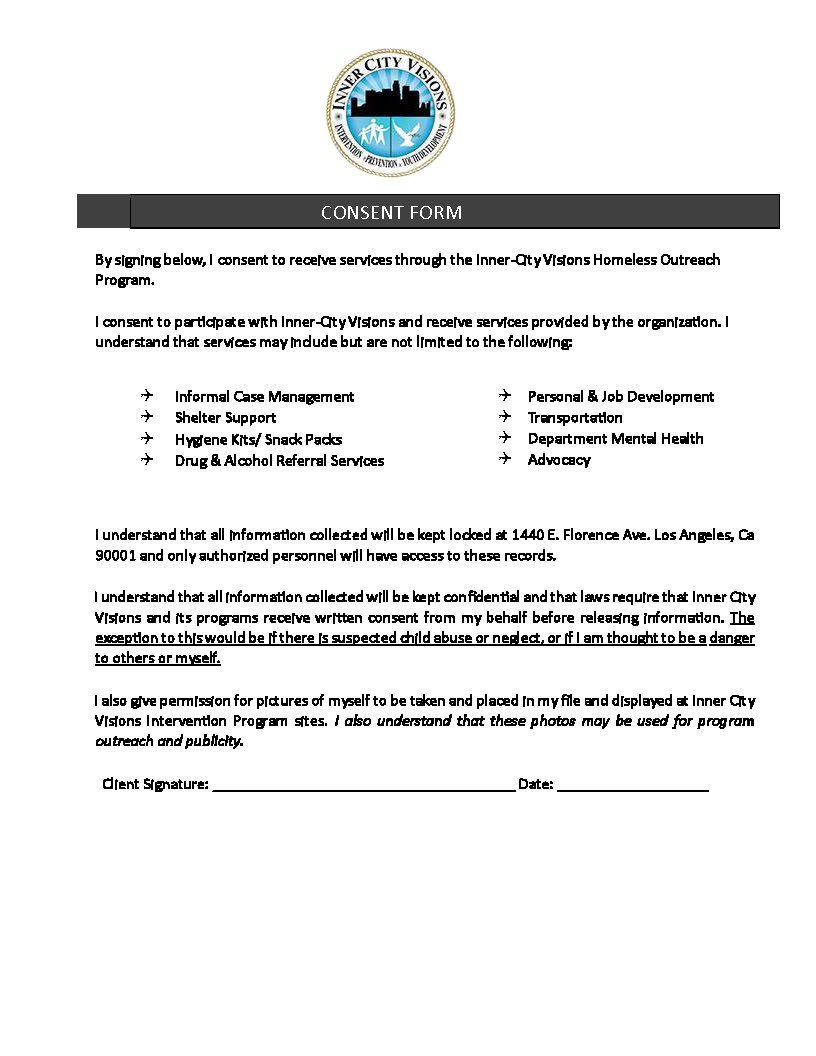
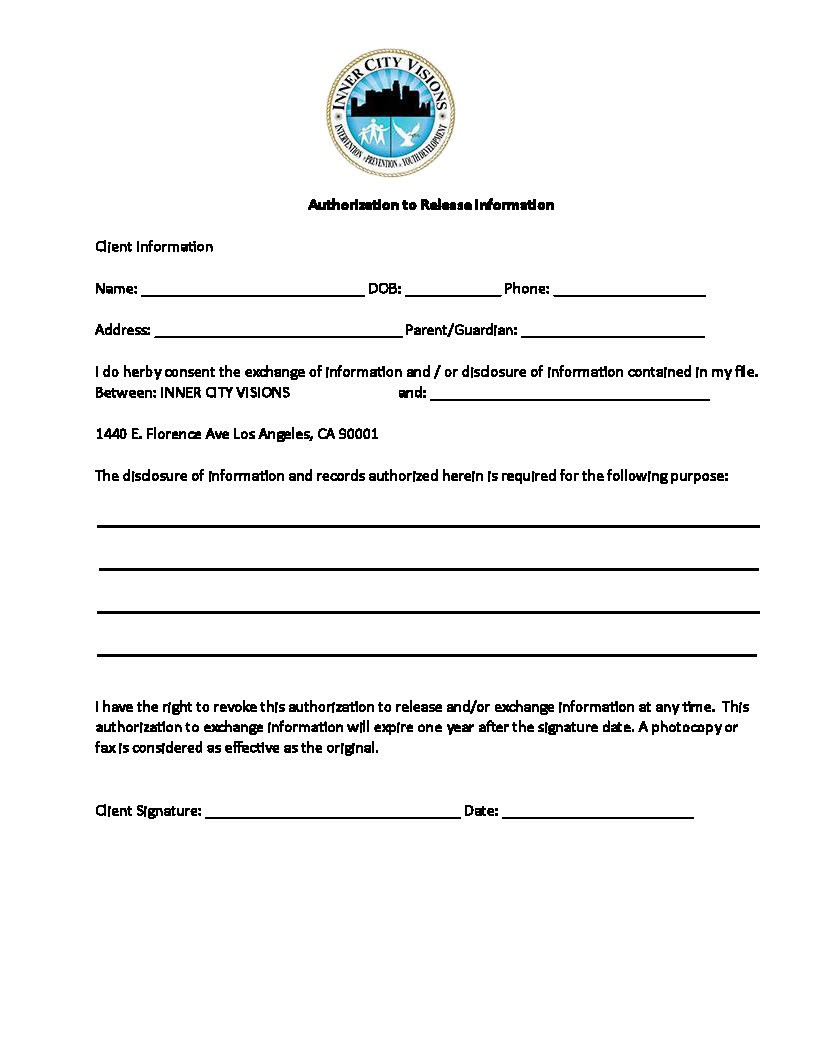
Original intake form
Dynamic calculations
ICV determined a client’s total income by adding earned income with public assistance, introducing friction and opportunities for human error.
We implemented dynamic calculations within the digital intake form to automatically compute total income in real time.
ORIGINAL
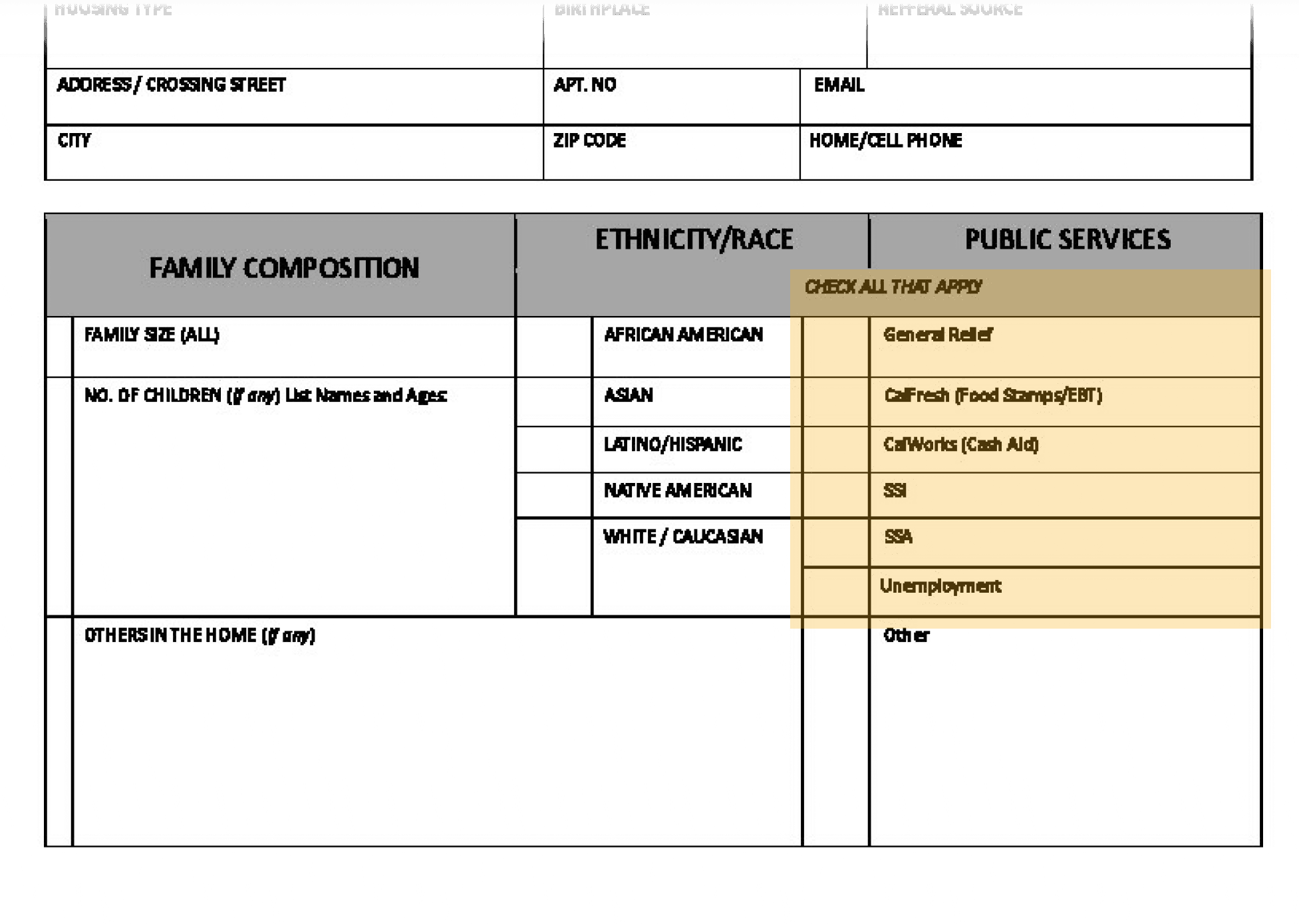
No space to add cash amount
Income is split across page
NEW
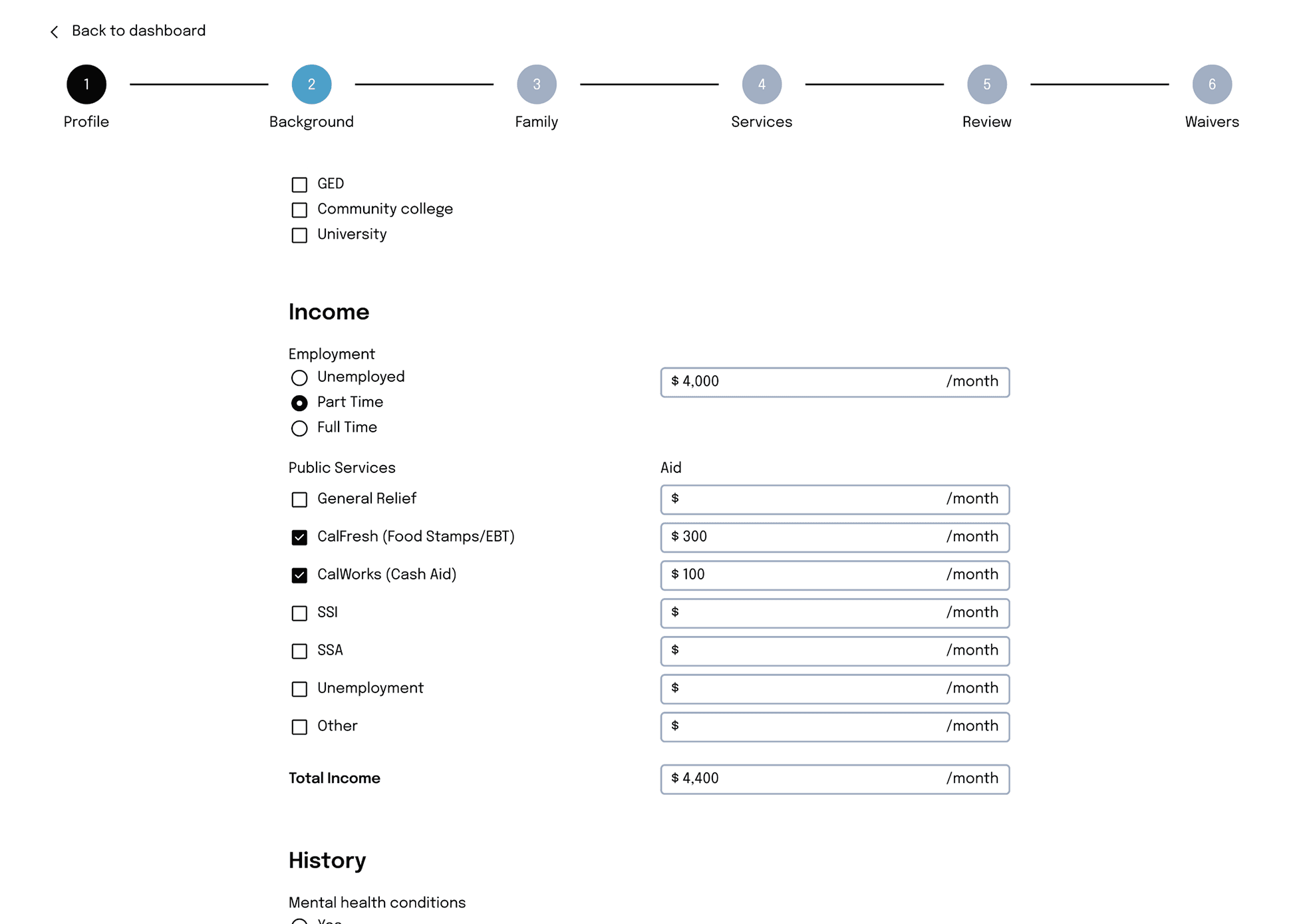
Automatically sums total income
Flexible family representation
Because families do not fit a single structure, we needed a way to capture household composition without intaking minors.
We solved this by using conditional logic to link spouses and associate dependents, preserving the data accuracy ICV needs to track impact and allocate resources.
ORIGINAL
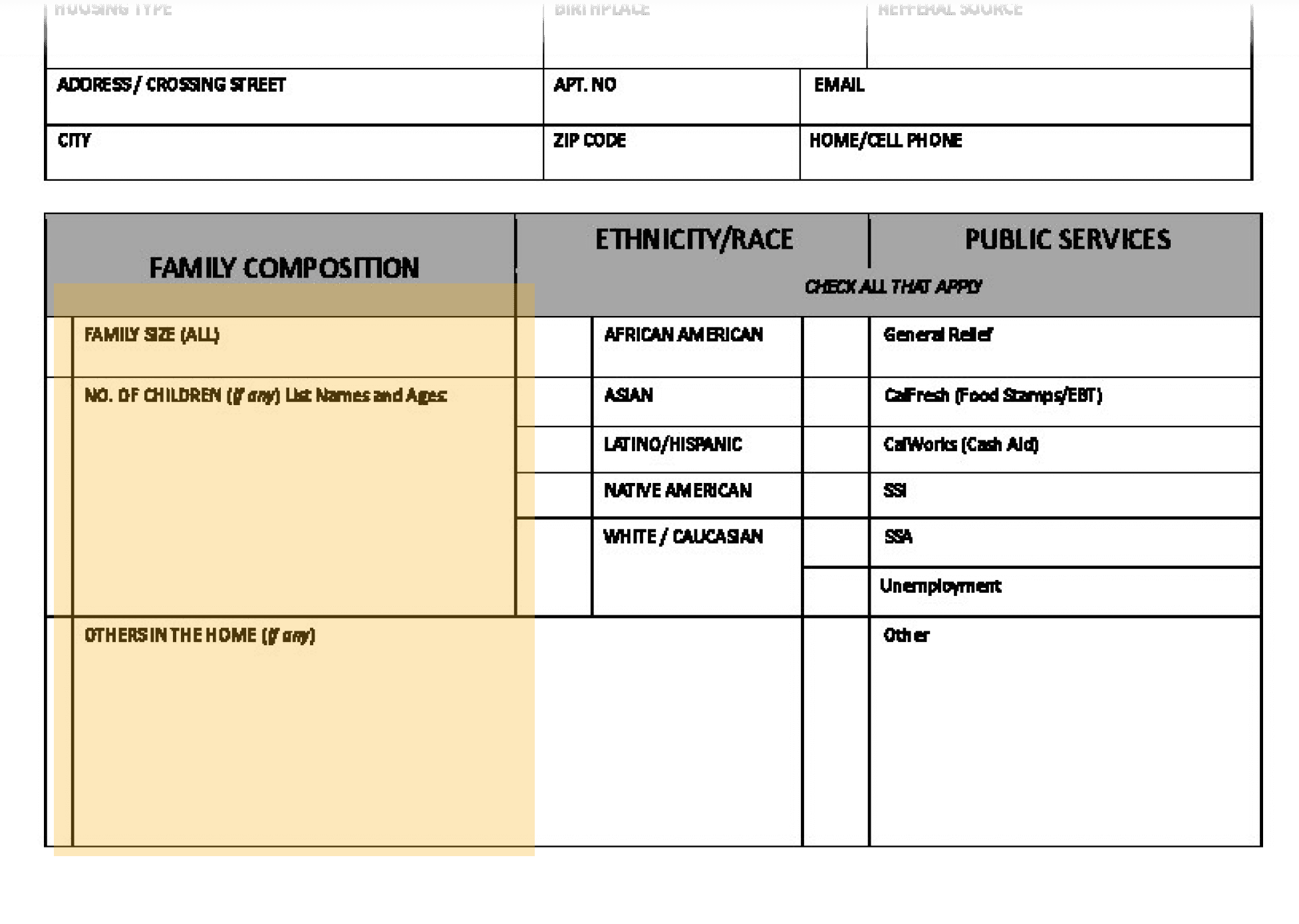
Families are scattered across separate papers
NEW
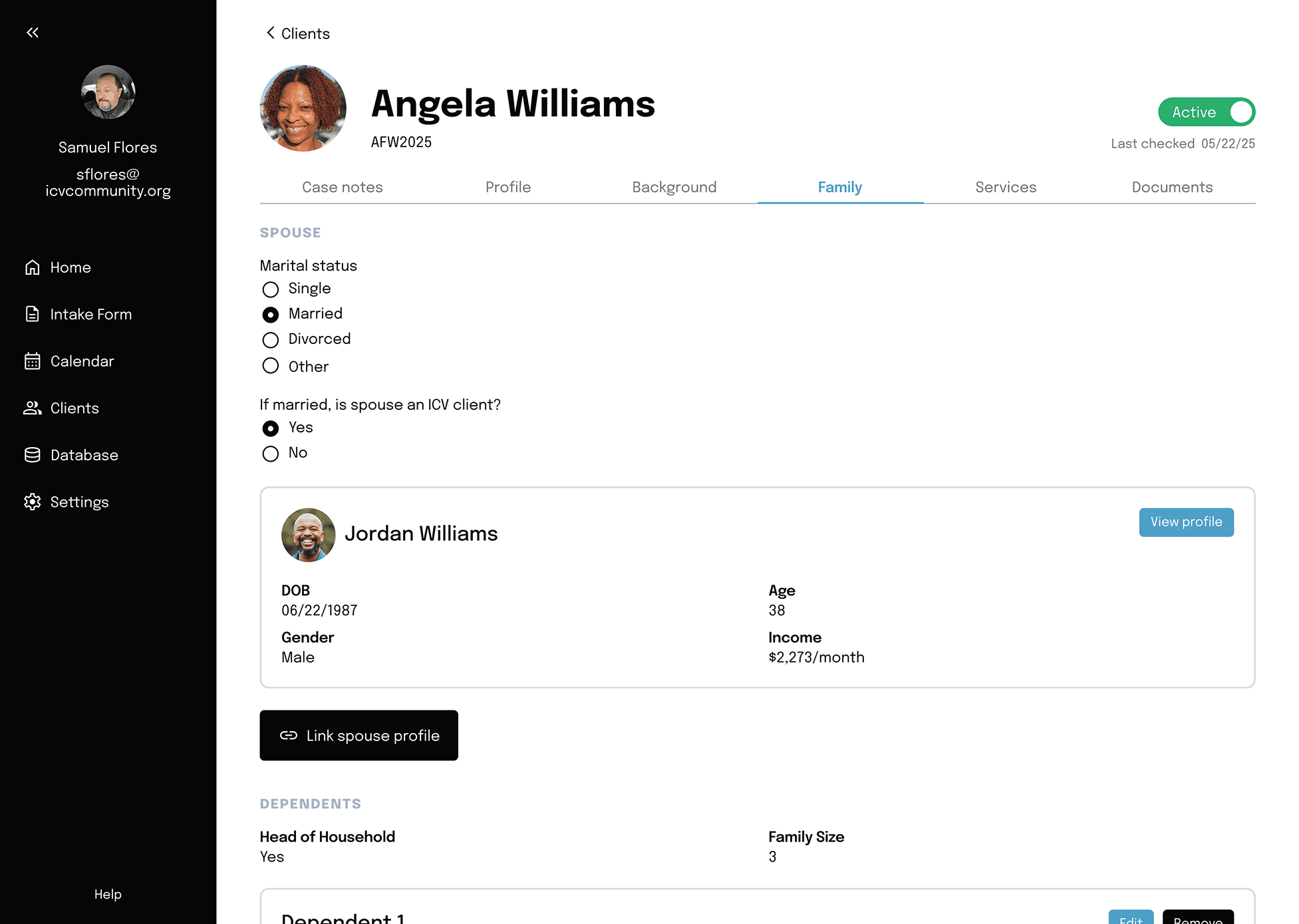
Spouses are linked together
Accounts for multiple types of family dynamics
Error! Double-counting clients
Since a client's household includes all the dependents in their family then for each adult, the dependents of their household would be duplicated when tallying total impacted clients.
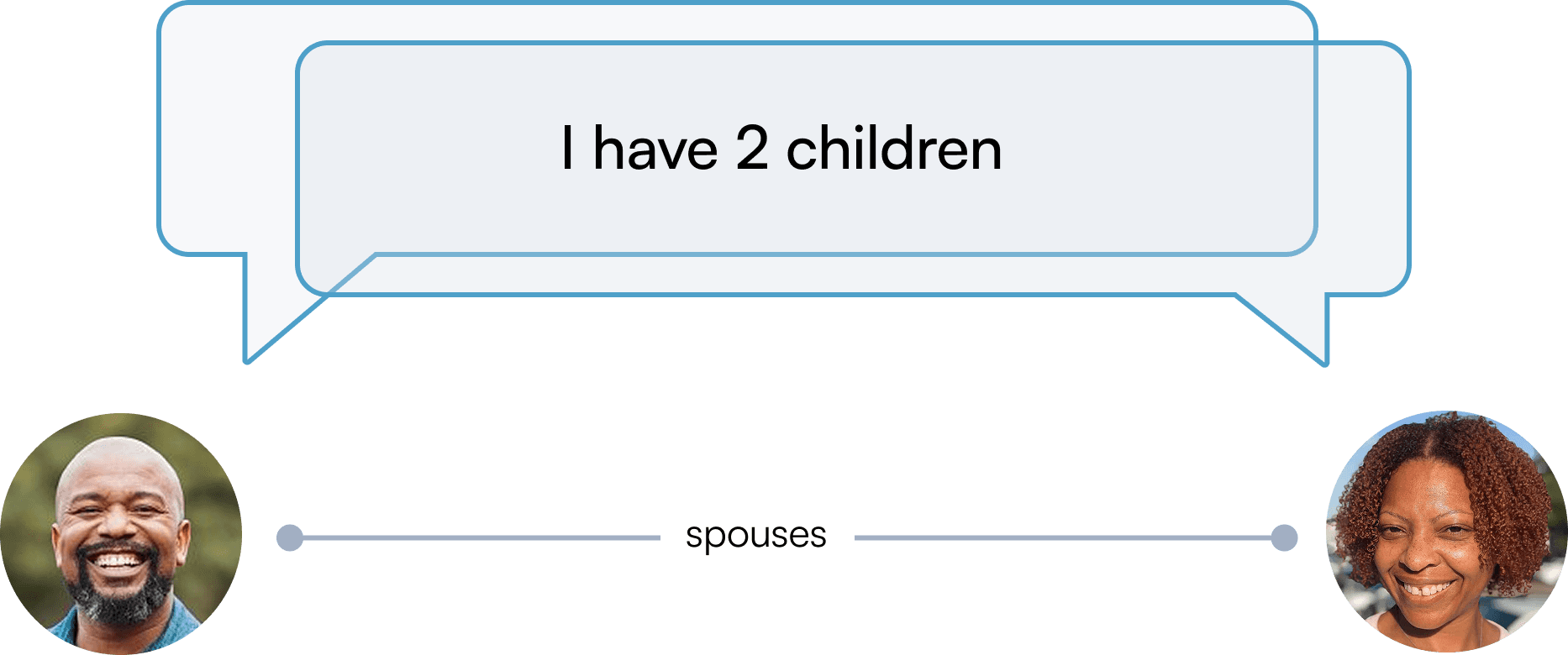
Count: 6
Solution: Head of Household
We introduced the Head of Household label to host the dependents.
After discussing with the client, it was decided that the wife or mother would be the Head by default.

Design Challenge: Case notes
Disconnected systems disrupt caseworker flows
During client check-ins, staff had to juggle paper files and Dropbox notes, causing constant context switching and slowing critical conversations.
This led to repeated context switching and slow task transitions.
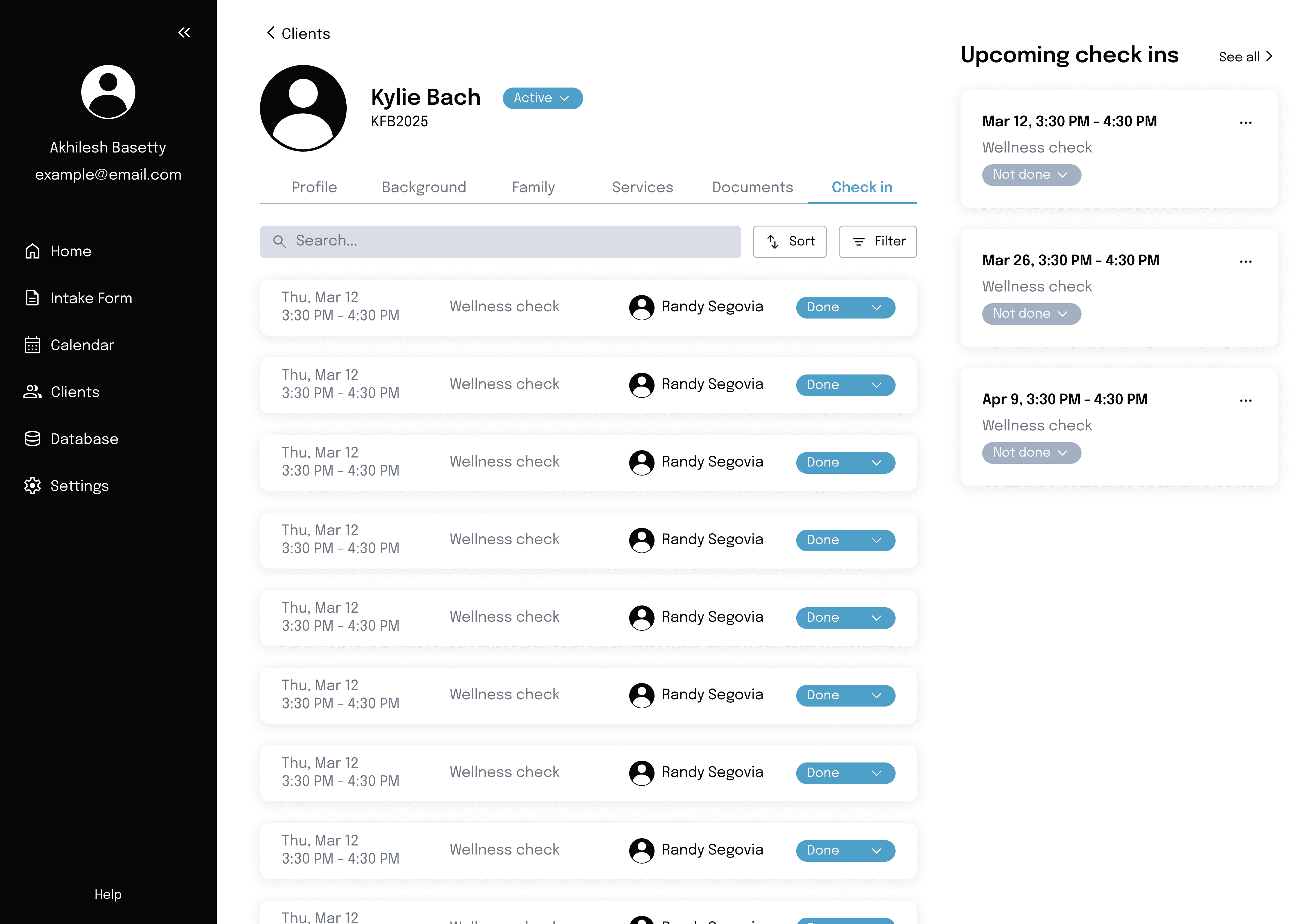
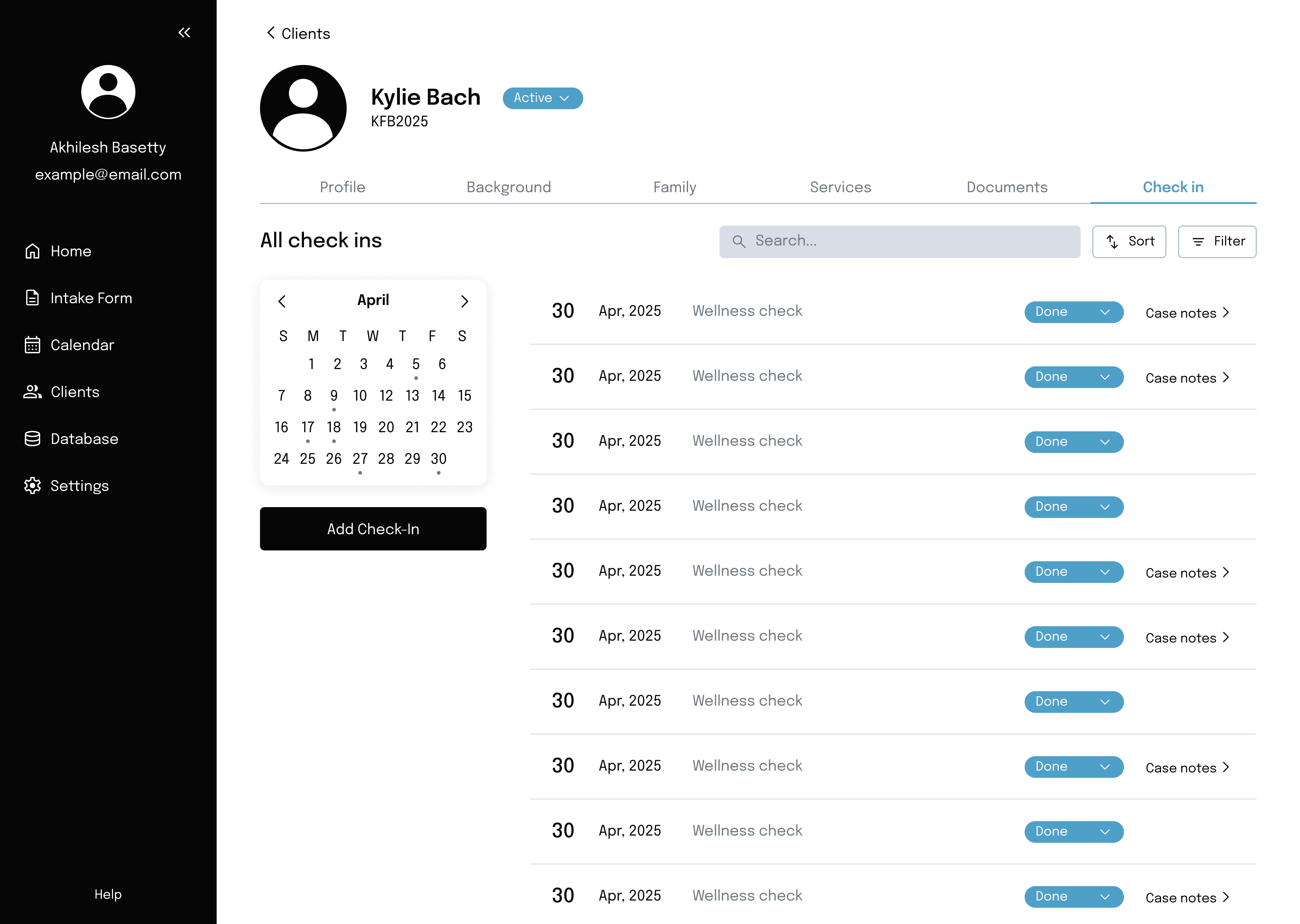
Check-ins page
Each client’s profile page depicts their upcoming check-ins alongside their past check-ins, with associated case notes. My goal was to give staff a flexible way to refer to previous case notes.
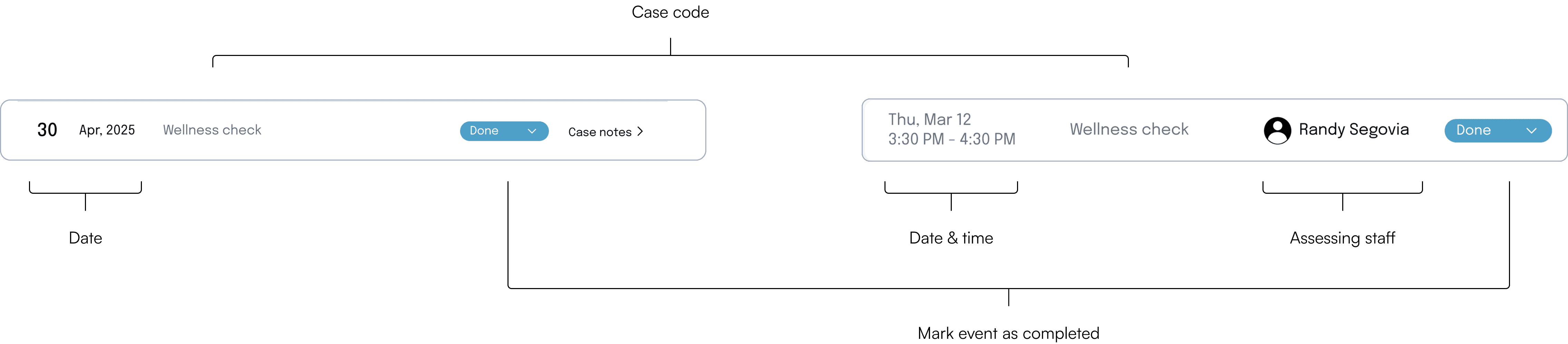
Case note row
When designing how a case note row, I considered which information needed to be accessed frequently and how to effectively communicate it.
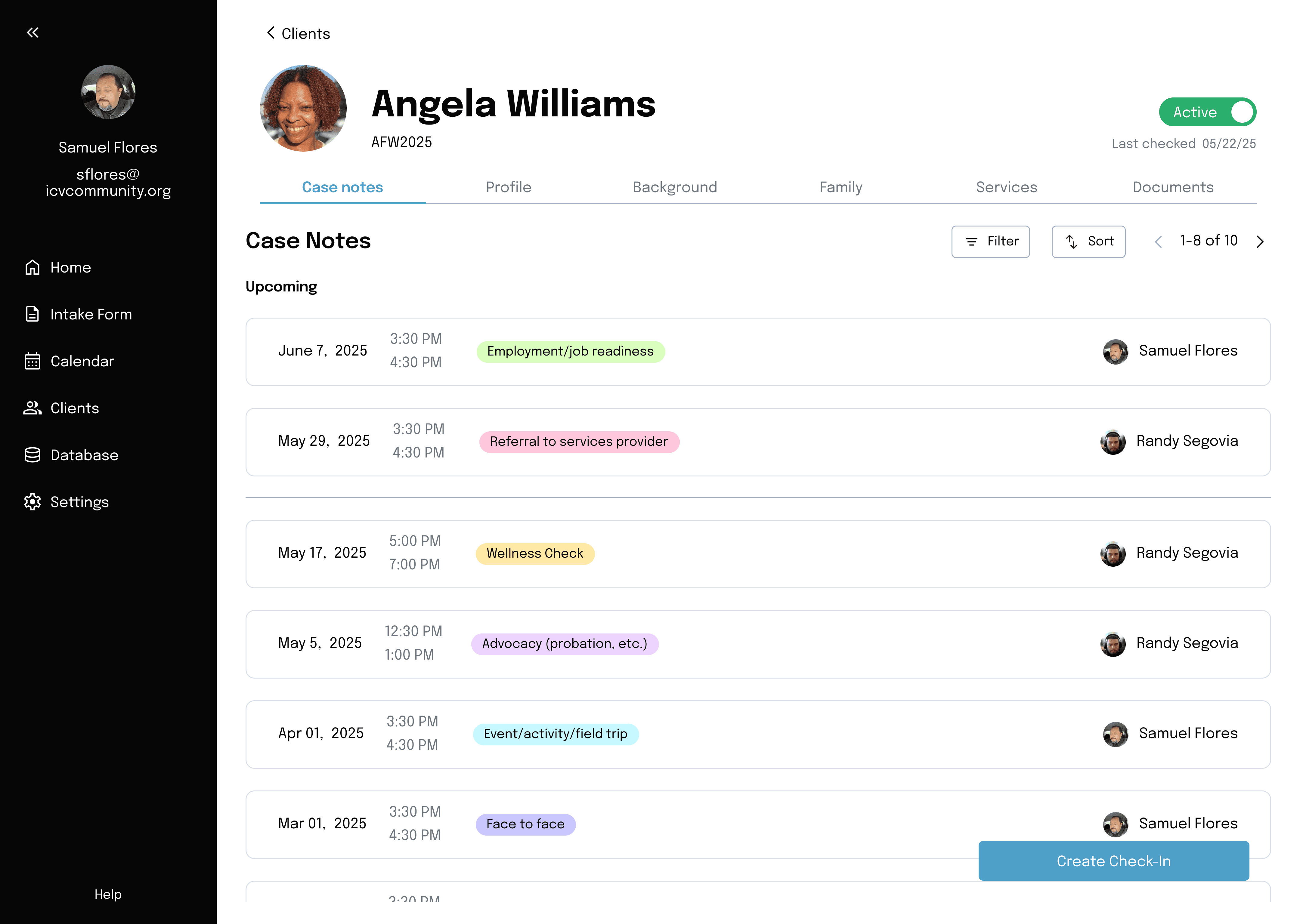
Final design
After incorporating feedback from ICV, we prioritized clearly labeled and filterable case notes reduced visual clutter over prominent upcoming check-ins.
Colored labels
Reduced visual clutter
Design Challenge: Check-ins
Supporting multiple check-in types
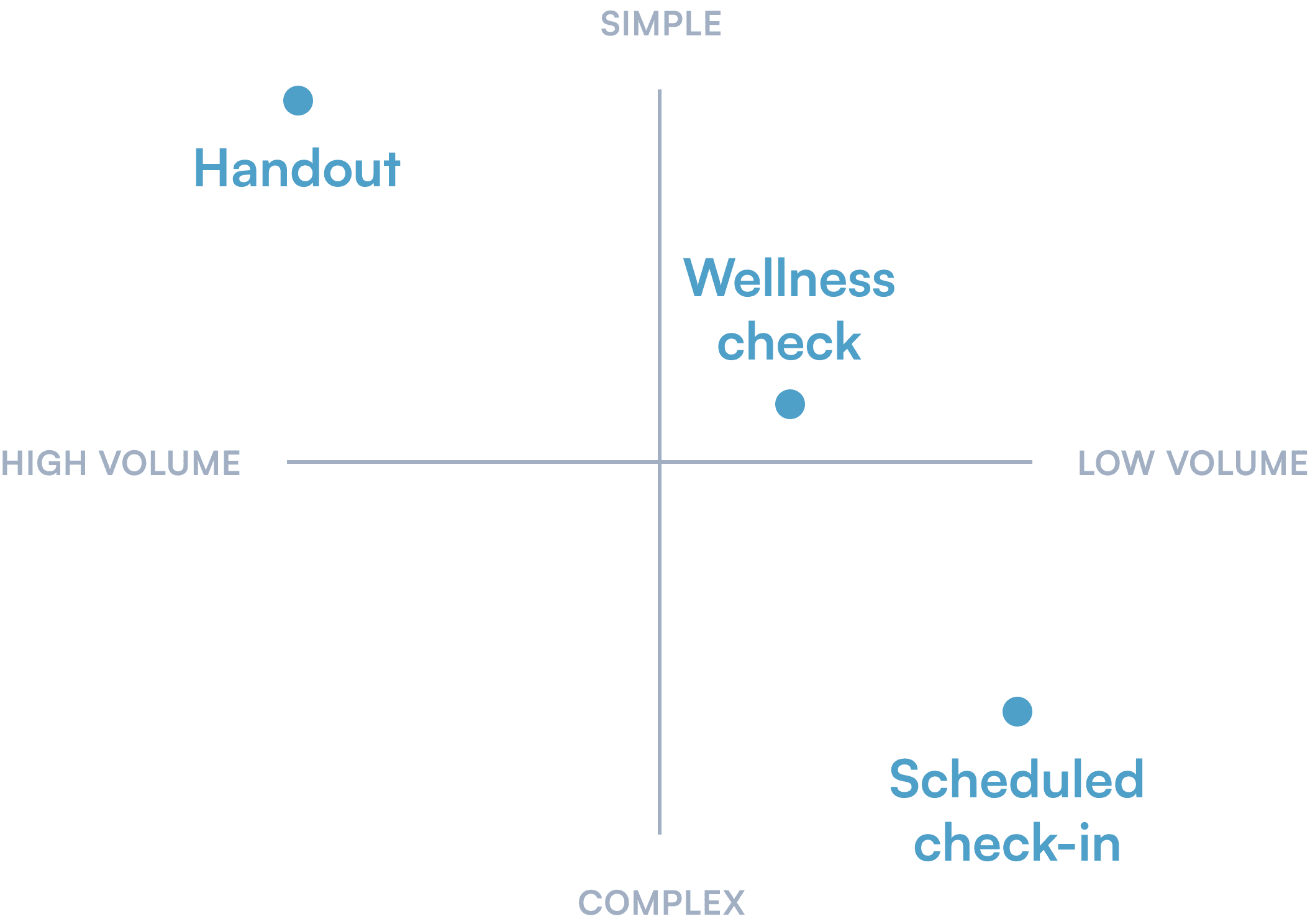
ICV conducts three types of check-ins with varying levels of complexity and volume. Thus the duration of user interaction should scale with the required amount of effort put in.
To assess the efficacy of our solution, we conducted user testing and measured the task success rate and duration.
Solution 1: Handout clickers
One-tap counters allow handouts to be tallied in real time, matching their high volume and simple process.
Task duration: 8.6s
Solution 2: Wellness check pop-up
Easily accessed through a clear CTA button on the dashboard with a shorter flow than a scheduled check-in.
Task duration: 38.2s
Solution 3: Scheduled check-in event
A multi-step flow ensures all required fields are completed for higher-importance scheduled check-ins.
Task duration: 67.2s
styling
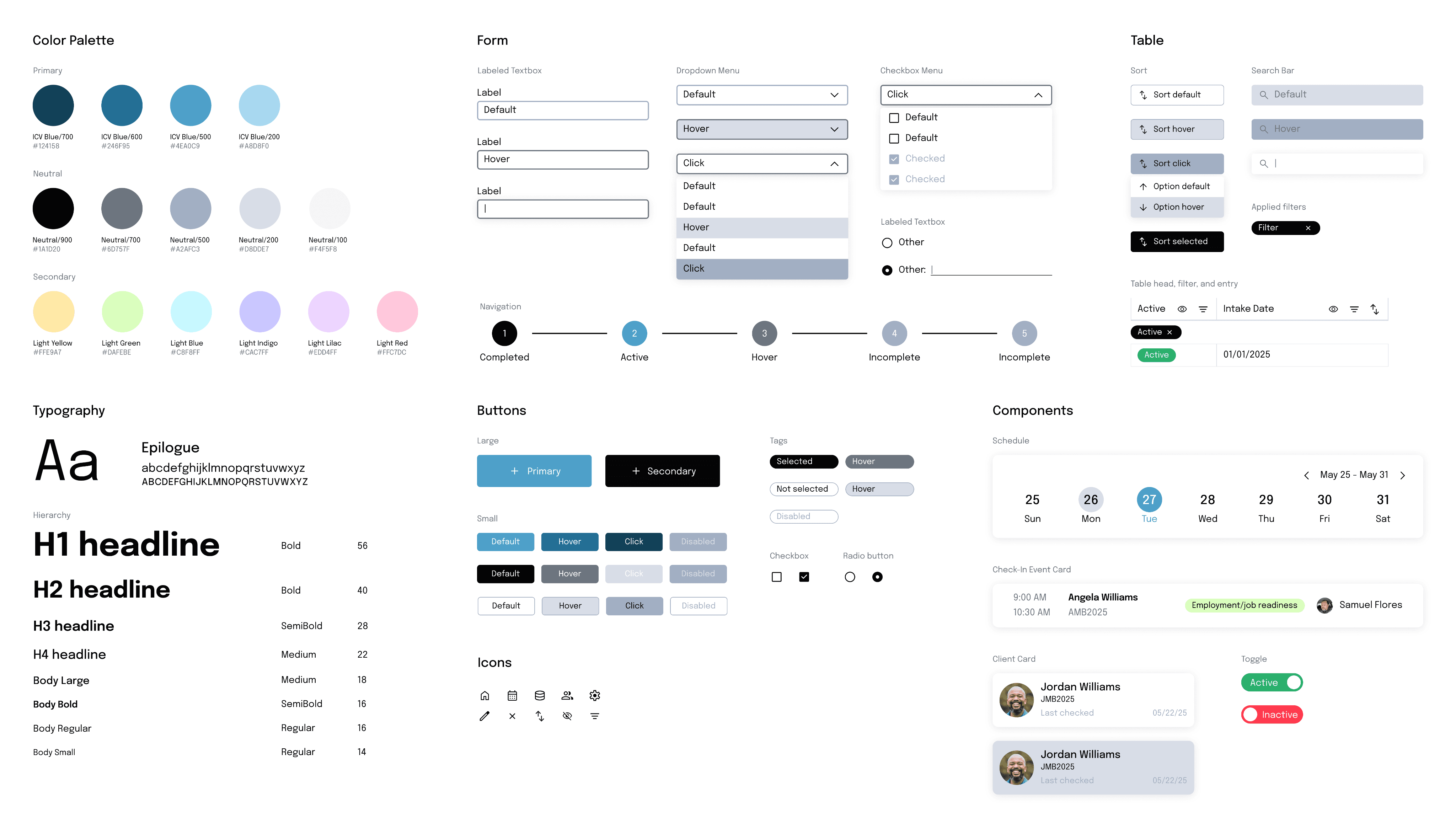
A scalable design system
I created a simple design system with reusable components that can be adapted to multiple uses in a system.
Test
Validate designs and new workflows through usability testing
1st goal: Evaluate usability across in-office and outreach contexts on responsive screens
2nd goal: Test clarity, accessibility, and ease of use for key workflows
3rd goal: Refine solutions through continuous staff feedback
round 1
On the field
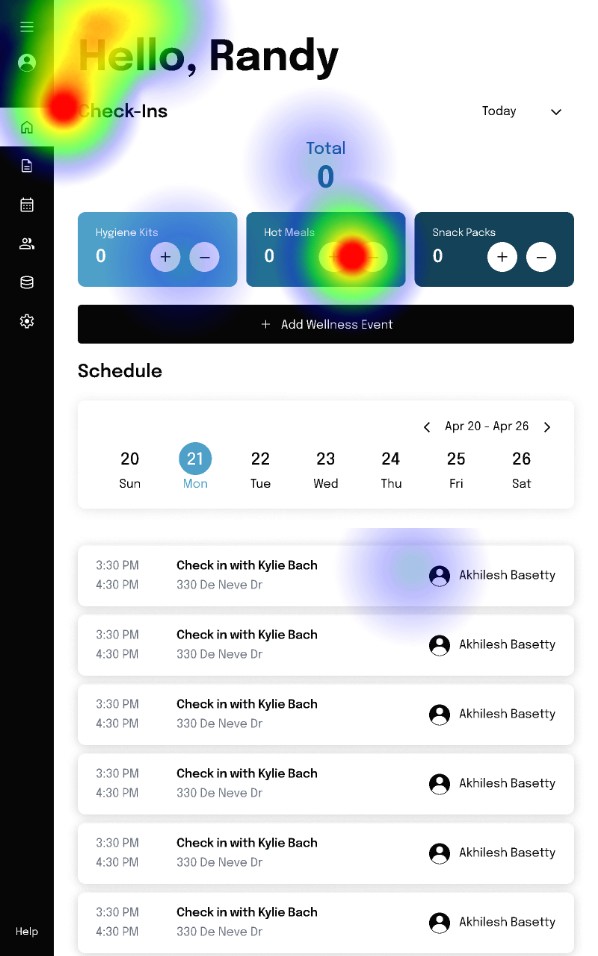
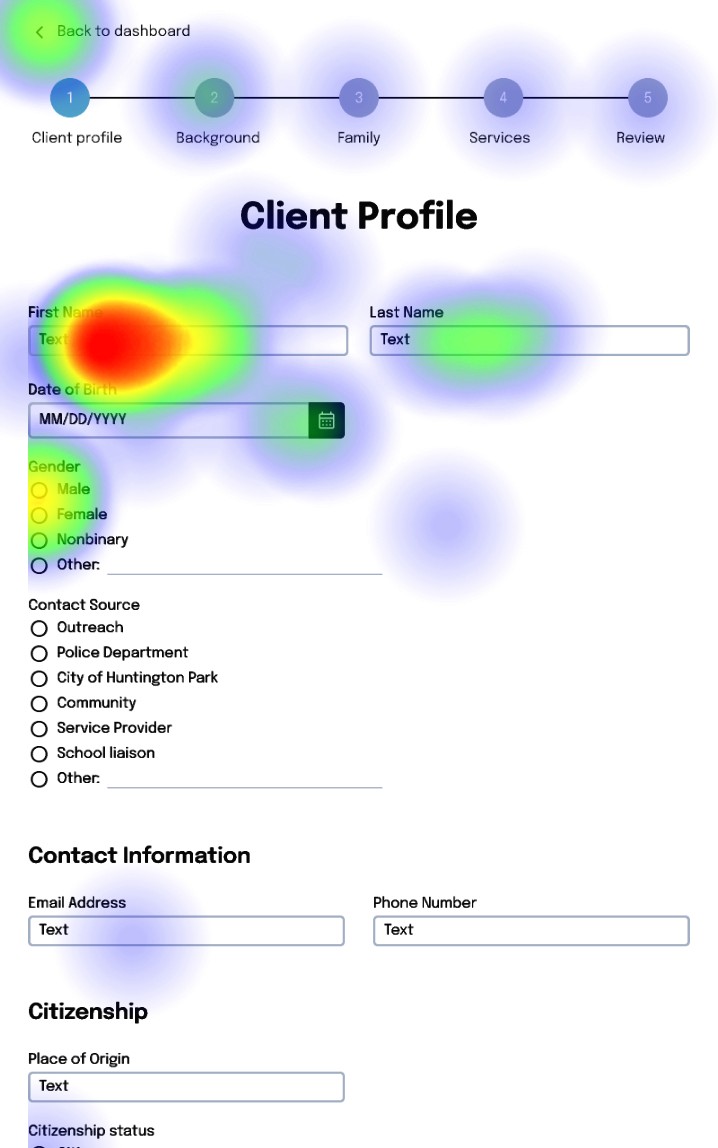
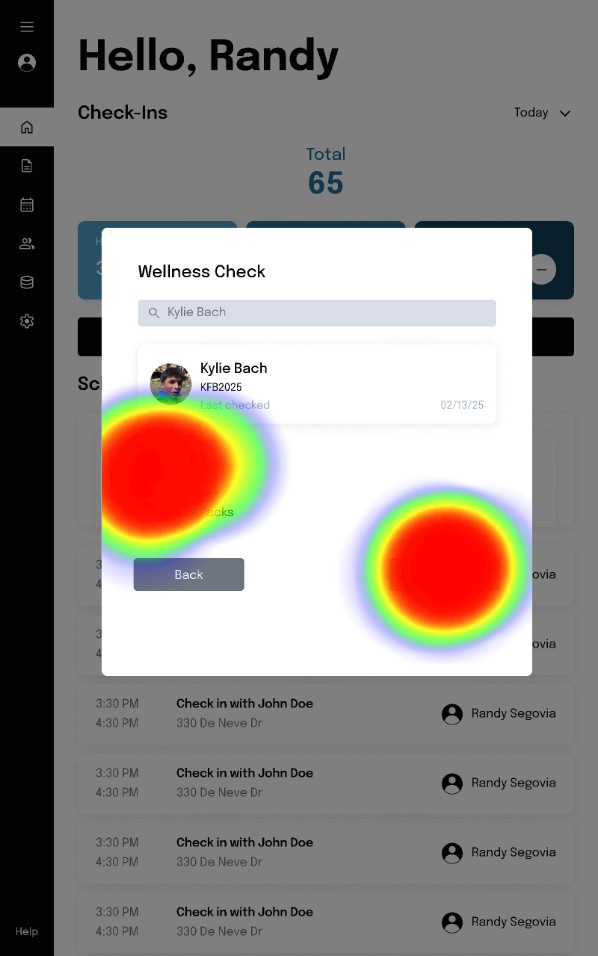
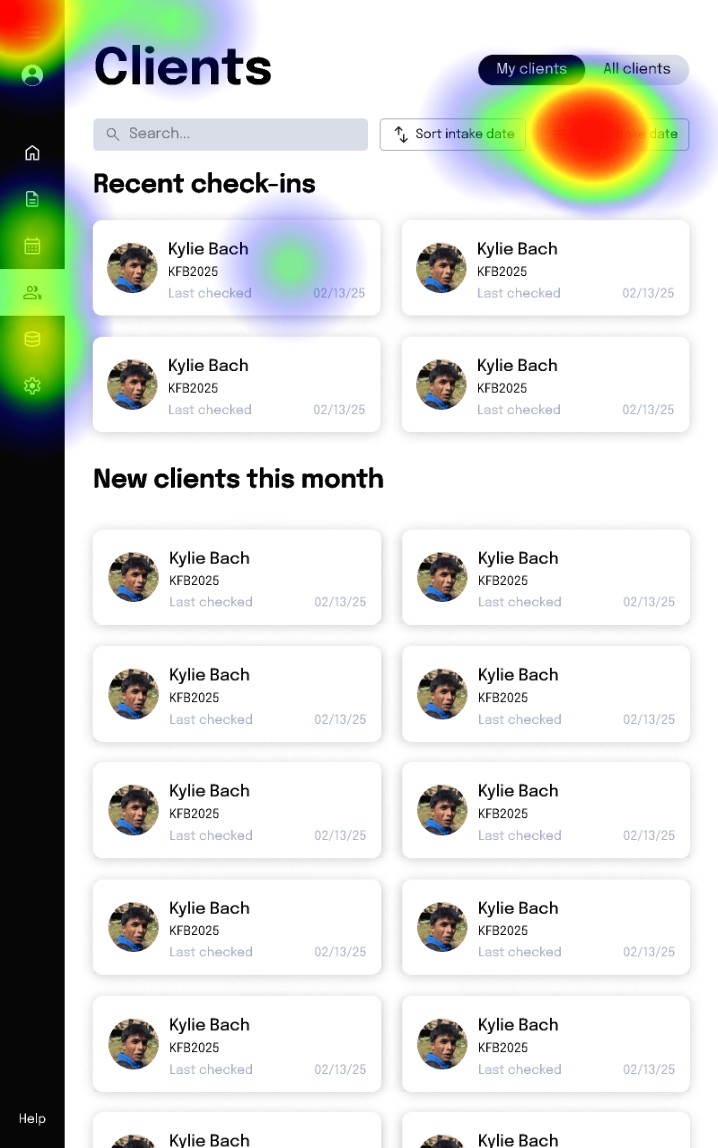
To stimulate a day on-site, we asked 14 ICV volunteers and experienced users to perform an unmoderated user test consisting of on-site tasks on tablet screens.
MISSION
SUCCESS RATE
MISCLICK RATE
AVG DURATION
1
76.9%
55%
737.1s
Use the intake form to create a new client profile
2
100%
72.6%
86.3s
Add 3 hygiene kits, 5 hot meals, and 2 snack packs
3
100%
65.8%
38.2s
Create a Wellness Check for Kylie Bach
round 2
In the office
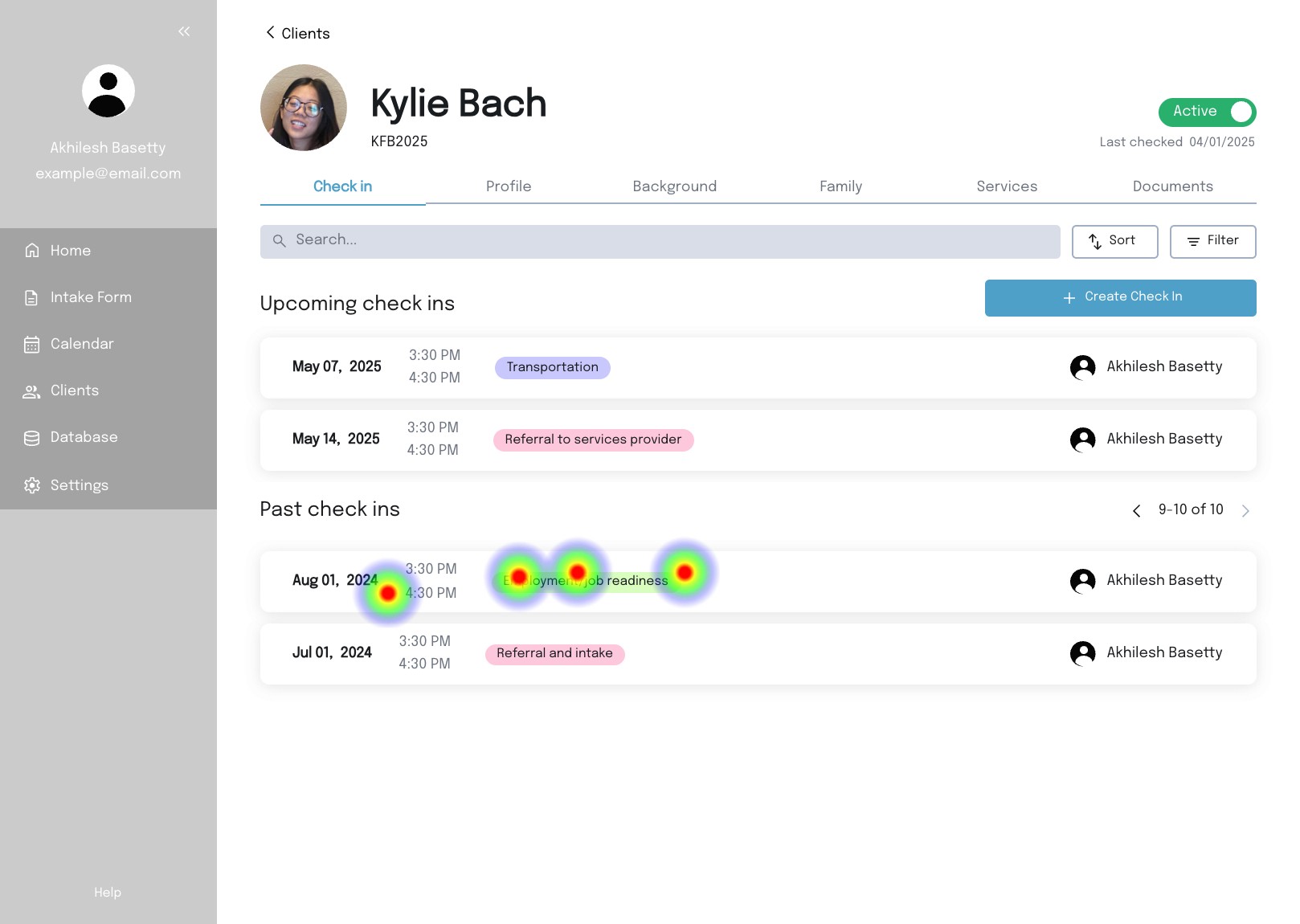
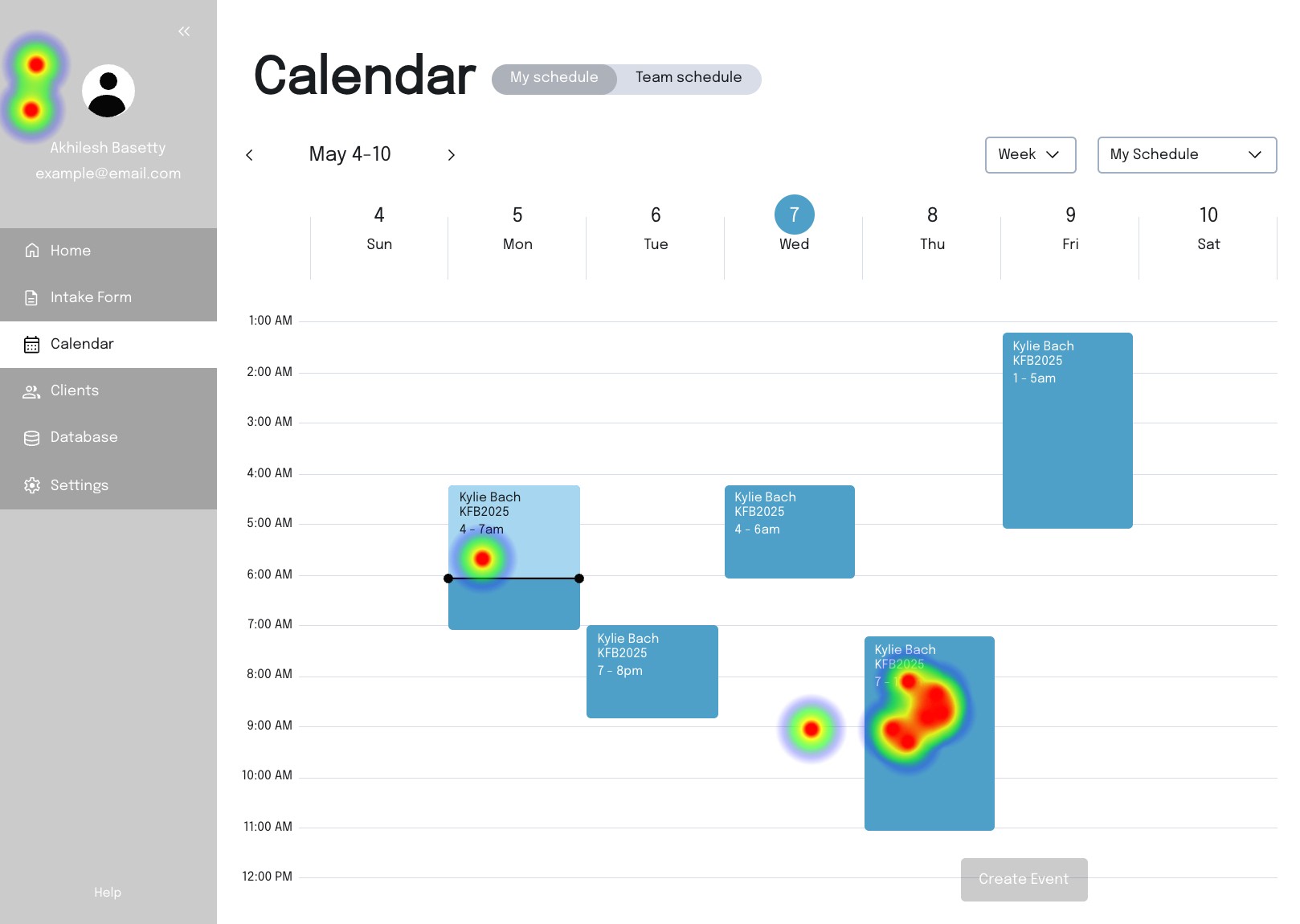
For the second round, we asked 10 ICV volunteers and users to perform in office tasks on desktop screens. Since our product had features unique to ICV’s processes, we wanted to examine how intuitive they were for our clients to interact with.
MISSON
SUCCESS RATE
MISCLICK RATE
AVG DURATION
1
90%
83.8%
67.2s
Schedule a client check in
2
87.5%
50%
17.7s
Use database filters
3
100%
23.6%
21.9s
Link a client’s spouse through their profile
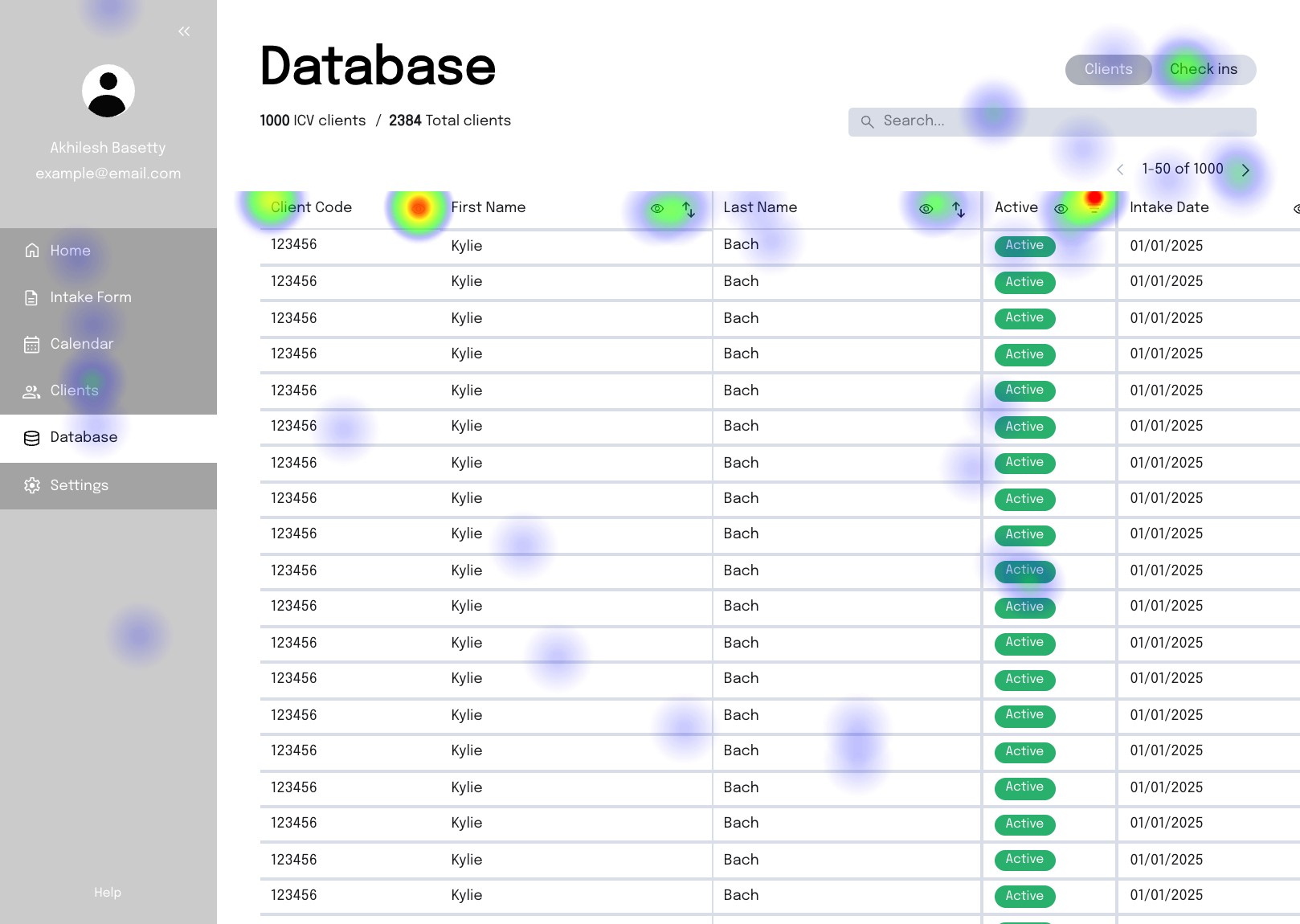
Reiterations
Implemented changes
The menu expands to reveal the tab names
Increased button size allows better accessibility on tablet mode
Final product
Ready to explore ICV’s client management database?
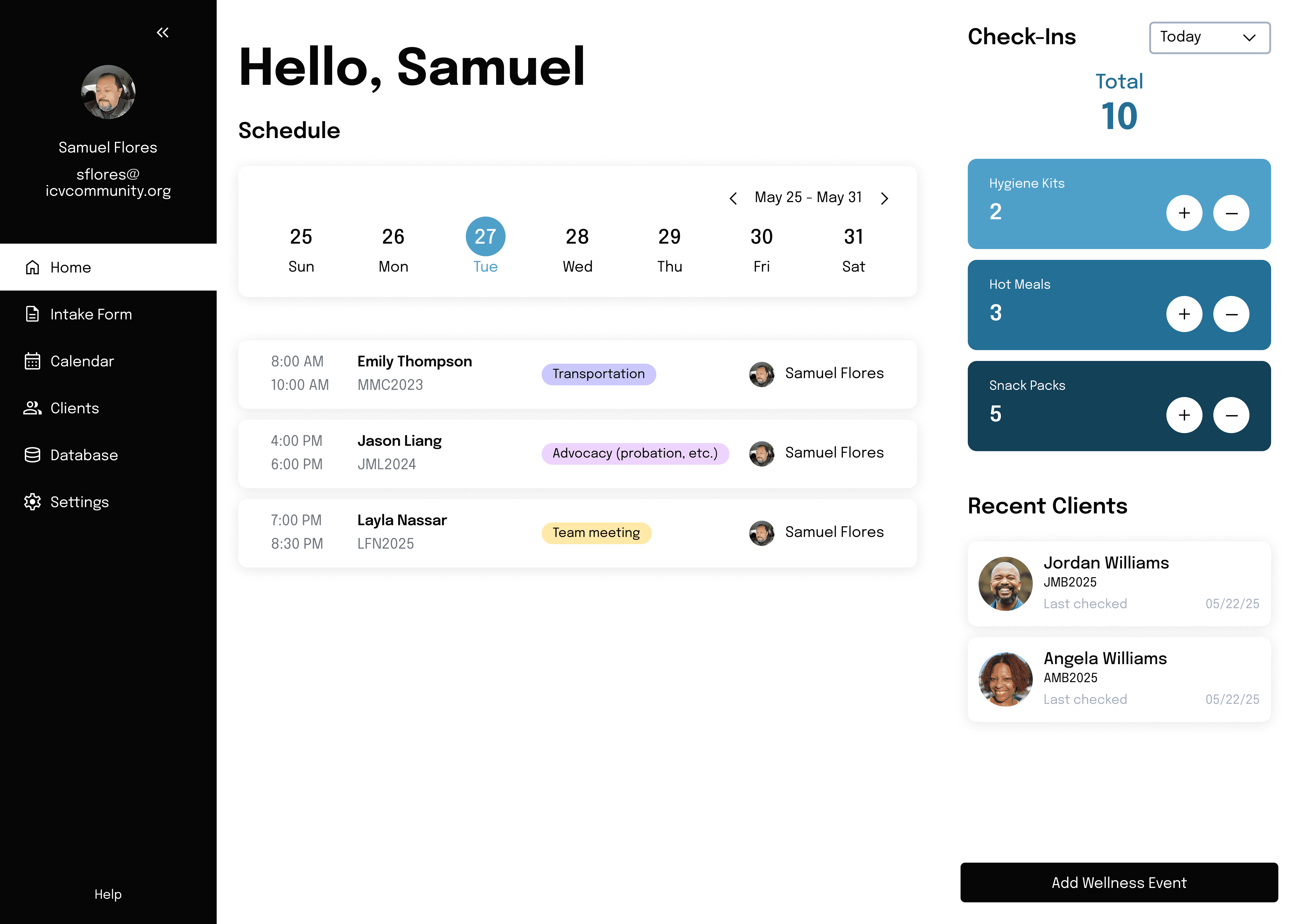
Dashboard
The staff start their day with what needs attention: upcoming check-ins, recent clients, and handout clickers for in-the-moment support.
Intake form
Designed for live interviews, the intake form adapts to each client while simplifying data entry through clear structure and smart automation.
Client profile
Client profiles centralize client data and make it easy to review history, log notes, and track engagement over time.
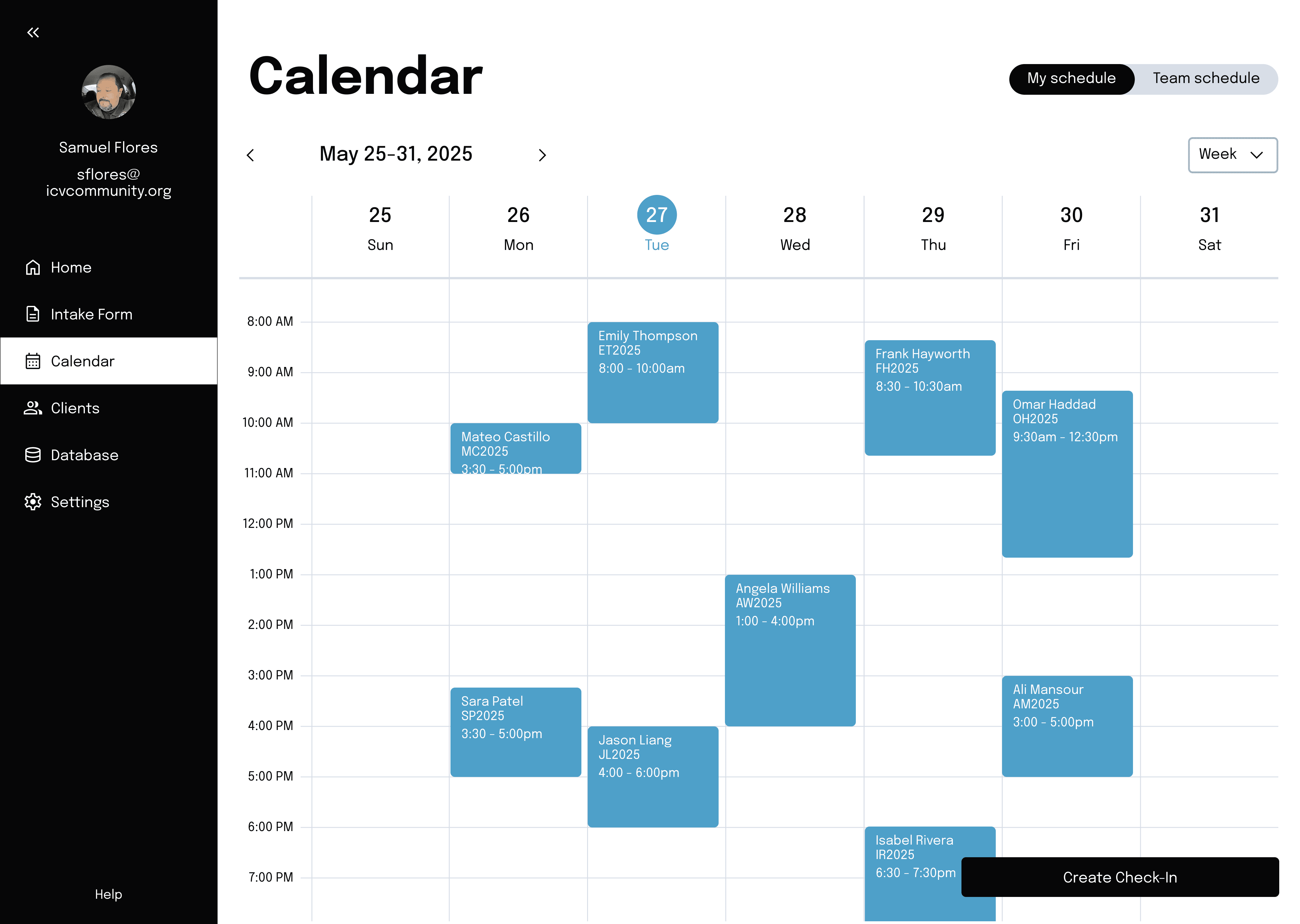
Calendar
A shared calendar keeps check-ins visible and coordinated across the team.
Database
Built to scale with ICV’s work, the database supports fast filtering, analysis, and reliable access to organization information across the team.
Next steps
The expansion pack
Given our limited timeline, we focused on delivering strong core functionality. With more time, I would expand the product with the following features:
Voice transcription
Automatically convert check-ins into case notes so staff can focus on the client.
Notifications
Alert staff of inactive clients to prompt timely check-ins and follow-up.
AI summaries
Generate concise summaries of client case notes so staff can quickly get up to speed before each check-in.
reflections
What I learned
By working closely with ICV’s team, we designed a client management system that simplifies intake, tracks client progress, and generates meaningful data for reporting. Even with trade-offs, our user-centered approach helped ensure that the final product was practical, intuitive, and aligned with their mission.
This project not only strengthened my ability to coordinate across design, development, and client teams. It also reminded me of the role thoughtful design can play in supporting organizations doing critical community work.